Fusion Reactor | ATM10
|
Introduction The Fusion Reactor is Mekanism's end-game multiblock power generator capable of producing enormous amounts of energy through nuclear fusion. Unlike the Fission Reactor, the Fusion Reactor cannot melt down, making it one of the safest large-scale power generation methods available in All The Mods 10. This guide explains how to construct the reactor, understand the Reactor Controller, produce D-T Fuel, ignite the reaction, and maintain continuous power generation. |
Overview
The Fusion Reactor consumes D-T Fuel (Deuterium-Tritium Fuel) to sustain a fusion reaction. Once ignited, it continuously generates energy while fuel is supplied.
The reactor can operate in one of two modes:
- Passive Mode - Generates FE directly.
- Water-Cooled Mode - Produces Steam for an Industrial Turbine, resulting in significantly higher power output.
| Feature | Fusion Reactor |
|---|---|
| Meltdown Risk | None |
| Fuel Type | D-T Fuel |
| Power Output | Very High |
| Cooling Options | Passive or Water-Cooled |
| Ignition Required | Yes |
Required Components
Before constructing the Fusion Reactor, gather the following components.
| Component | Required | Purpose |
|---|---|---|
| Fusion Reactor Controller | ✔ | Controls the multiblock and displays reactor information. |
| Fusion Reactor Frame | ✔ | Forms the reactor casing. |
| Fusion Reactor Port | ✔ | Transfers fluids, gases and energy. |
| Laser Focus Matrix | ✔ | Required for laser ignition. |
| Fusion Reactor Logic Adapter | Optional | Provides automation and redstone control. |
Building the Reactor
Construct the multiblock structure exactly as shown in JEI. The interior of the reactor must remain completely hollow for the structure to form correctly.
Once construction is complete, right-click the Fusion Reactor Controller.
|
Information If the multiblock has been assembled correctly, the controller will display Structure Formed. If it reports Structure Incomplete, verify that:
|
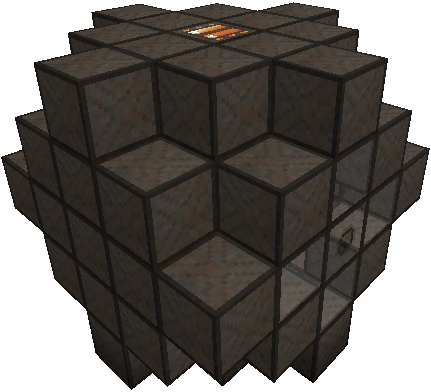
Reactor Controller
The Reactor Controller provides access to all reactor information and settings. Right-click the Controller to open its interface.
Main Screen
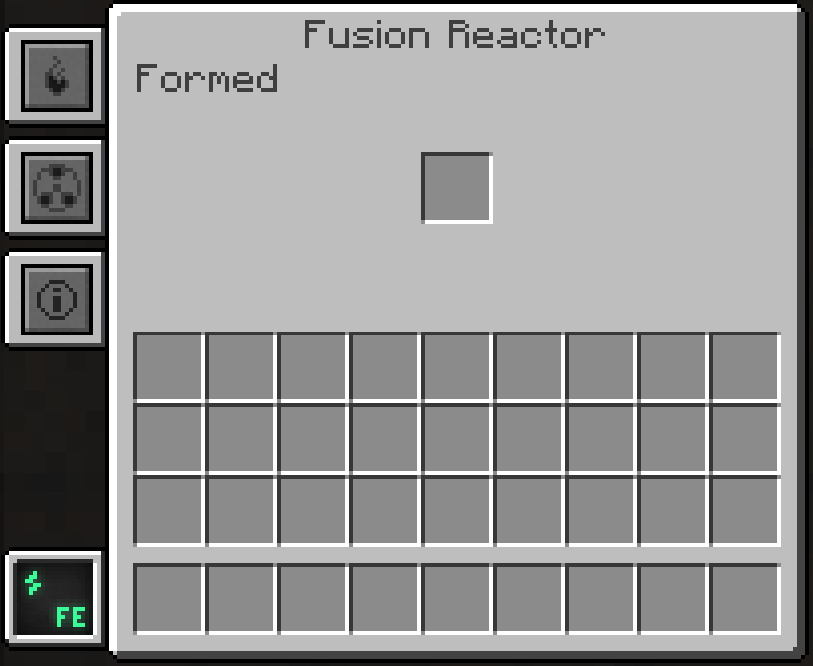
The Main Screen displays the overall status of the Fusion Reactor.
- Structure status
- Charged Hohlraum slot
- Access to the Heat, Fuel and Statistics tabs
The text displayed at the top of the interface indicates whether the reactor structure is correctly assembled.
|
Important The Main Screen contains a single inventory slot. A Charged Hohlraum must be inserted into this slot before a laser can ignite the Fusion Reactor. |
Heat Tab
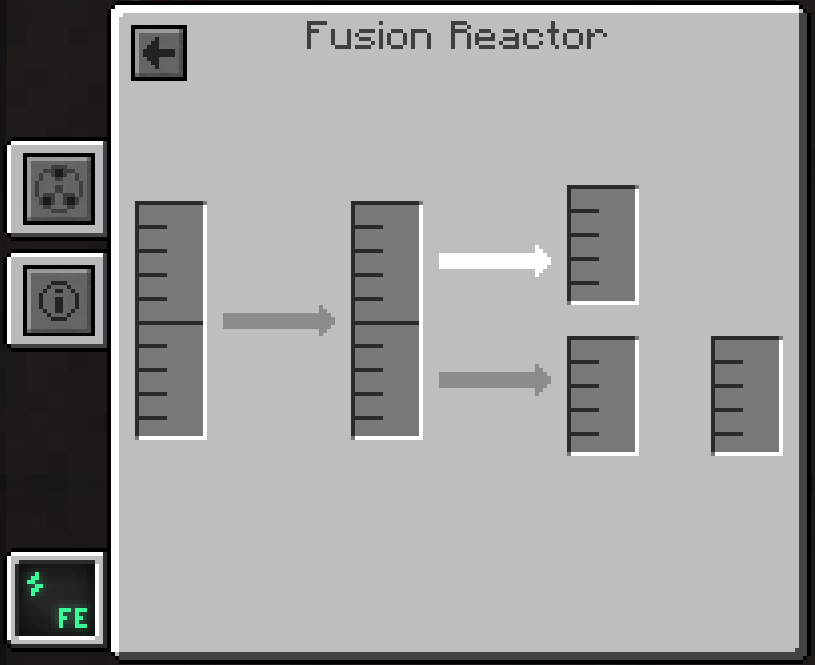
The Heat tab displays the reactor's operating temperatures and internal storage.
| Indicator | Description |
|---|---|
| Plasma Temperature | Current plasma temperature inside the reactor. |
| Case Temperature | Temperature of the reactor casing. |
| Internal Energy | Current FE stored within the reactor. |
| Water | Amount of water stored for cooling. |
| Steam | Steam currently stored inside the reactor. |
Fuel Tab
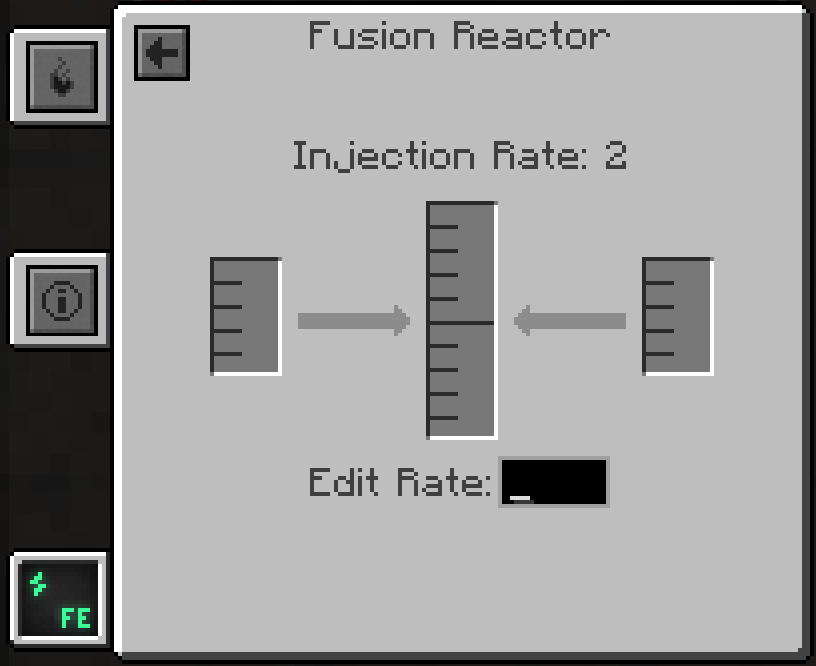
The Fuel tab displays the reactor's fuel supply and current Injection Rate.
| Tank | Contents |
|---|---|
| Left | Deuterium |
| Centre | D-T Fuel |
| Right | Tritium |
The reactor consumes Deuterium and Tritium at a rate equal to half of the current Injection Rate per tick.
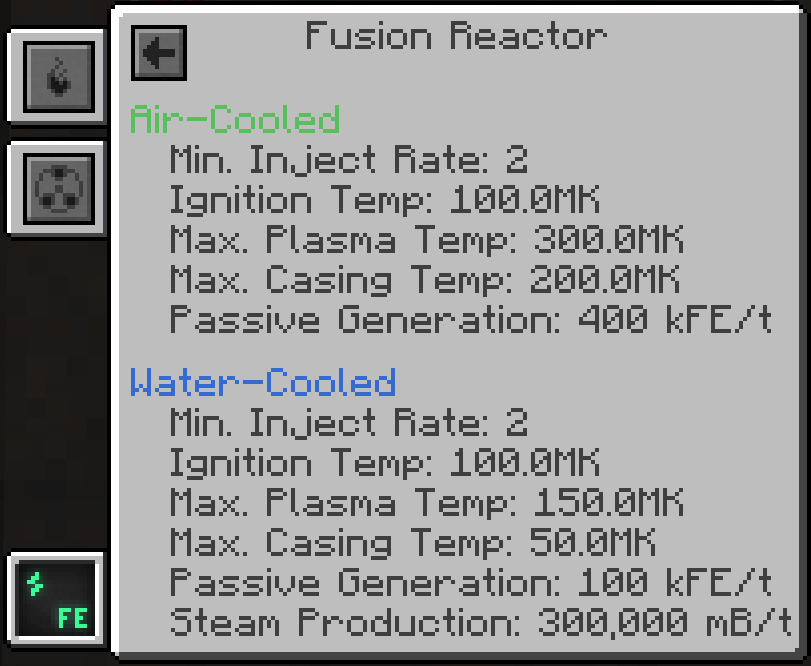
Statistics Tab
The Statistics tab displays technical information about the reactor.
- Current Injection Rate
- Maximum Plasma Temperature
- Passive FE Generation
- Steam Production
This information is useful when monitoring reactor performance and tuning power output.
 ]
]
Producing D-T Fuel
The Fusion Reactor requires D-T Fuel to sustain the fusion reaction. D-T Fuel is produced by combining Deuterium and Tritium in a Chemical Infuser.
Both gases are produced from Water using Mekanism's gas processing machines.
|
Information Producing Tritium can take significantly longer than Deuterium due to the Solar Neutron Activator only operating during the daytime. Consider building multiple Solar Neutron Activators to increase production. |
Producing Tritium
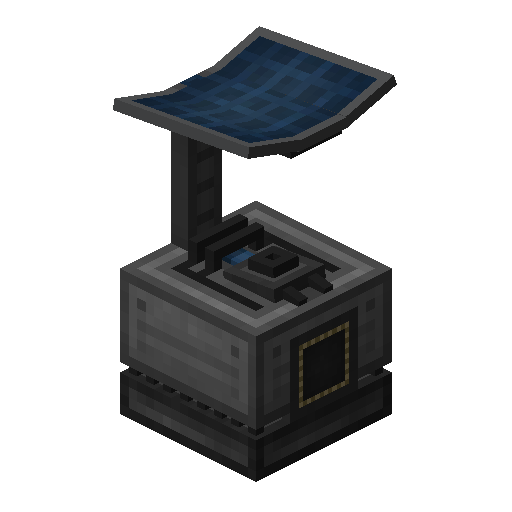
Tritium is produced by converting Hydrogen inside a Solar Neutron Activator.
Step 1 - Produce Hydrogen
Supply Water to an Electrolytic Separator.
The machine separates Water into:
- Hydrogen
- Oxygen
Only the Hydrogen output is required for Tritium production.
Step 2 - Convert Hydrogen into Tritium
Pipe the Hydrogen into a Solar Neutron Activator.
The Solar Neutron Activator requires:
- Direct access to the sky.
- Daylight.
The Hydrogen will gradually be converted into Tritium.
Producing Deuterium
Deuterium is produced by condensing Hydrogen into its liquid form.
Step 1 - Produce Hydrogen
Supply Water to an Electrolytic Separator.
Collect the Hydrogen output.
Step 2 - Condense the Hydrogen
Pipe the Hydrogen into a Rotary Condensentrator.
Set the Rotary Condensentrator to Condensentrating Mode.
The Hydrogen will be converted into Deuterium.

Producing D-T Fuel
Once both gases have been produced, they can be combined into D-T Fuel.
| Input | Machine | Output |
|---|---|---|
| Deuterium + Tritium | Chemical Infuser | D-T Fuel |
Insert both gases into the Chemical Infuser and it will continuously produce D-T Fuel.
Charging a Hohlraum
The Hohlraum is a critical item used to ignite the Fusion Reactor.
Without a Charged Hohlraum, the Fusion Reactor cannot be started using lasers.
Charging the Hohlraum
To charge a Hohlraum:
- Produce at least 10 mB of D-T Fuel inside a Chemical Infuser.
- Insert an empty Hohlraum into the centre slot of the Chemical Infuser.
- The Hohlraum will absorb the fuel and become a Charged Hohlraum.
- Remove the Charged Hohlraum and insert it into the inventory slot of the Fusion Reactor Controller.
|
Important A Charged Hohlraum is consumed when the Fusion Reactor is successfully ignited. If the reactor shuts down in the future, another Charged Hohlraum will be required to restart it. |

Preparing for Ignition
Before attempting to start the Fusion Reactor, verify that all of the following requirements have been met.
| Requirement | Status |
|---|---|
| Fusion Reactor Structure Formed | Required |
| Laser Focus Matrix Installed | Required |
| Charged Hohlraum Installed | Required |
| D-T Fuel Available | Required |
| Laser Amplifier or Heat Source | Required |
|
Tip Keep one or more Charged Hohlraums stored nearby. If the reactor is shut down for maintenance or runs out of fuel, you'll be able to restart it immediately without waiting for another Hohlraum to charge. |
Starting the Fusion Reaction
Unlike most Mekanism generators, the Fusion Reactor does not start automatically. Before the fusion reaction can begin, the reactor's plasma must reach 100 MK (100 Million Kelvin) while a Charged Hohlraum is installed inside the Reactor Controller.
Once ignited, the Charged Hohlraum is consumed and the reactor will begin generating power while continuously consuming D-T Fuel.
Method 1 - Laser Ignition (Recommended)
Laser ignition is the fastest and most commonly used method of starting a Fusion Reactor.
Requirements
| Requirement | Minimum |
|---|---|
| Charged Hohlraum | 1 |
| Laser Amplifier Energy | 1 GFE |
| Laser Focus Matrix | Installed |
Ignition Steps
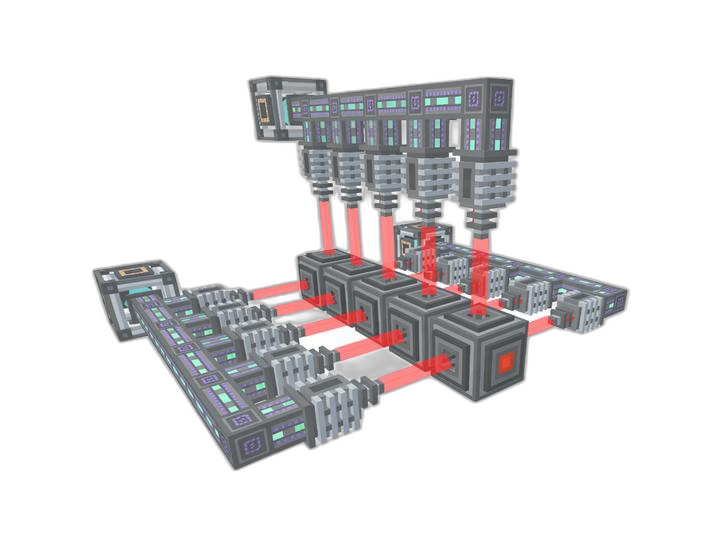
- Insert a Charged Hohlraum into the Reactor Controller.
- Charge a Laser Amplifier until it contains at least 1 GFE.
- Aim one or more Lasers into the Laser Amplifier.
- Set the Laser Amplifier Redstone Mode to Normal.
- Trigger the amplifier with a Button or Redstone signal.
- The stored laser energy will fire into the Laser Focus Matrix and instantly ignite the reactor.
|
Tip Leave the Laser Amplifier connected after ignition. Keeping it charged allows the reactor to be restarted immediately if it ever shuts down. |
Power Generation Modes
The Fusion Reactor supports two operating modes.
| Mode | Output | Recommended For |
|---|---|---|
| Passive Mode | FE | Simple power generation |
| Water-Cooled Mode | Steam | Industrial Turbine setups |
Passive Mode
Passive Mode produces FE directly from the reactor.
- Simple to set up.
- No Steam management required.
- Ideal for smaller installations.
Water-Cooled Mode
Supplying Water to the reactor enables Water-Cooled Mode.
The reactor converts Water into Steam, which can then be sent into an Industrial Turbine.
This configuration produces considerably more usable power than Passive Mode and is recommended for most late-game bases.
Maintaining the Reactor
Once ignited, the Fusion Reactor will continue operating as long as it has a continuous supply of fuel.
Fuel Production
- Keep Electrolytic Separators supplied with Water.
- Ensure Solar Neutron Activators have direct access to the sky.
- Keep Rotary Condensentrators and Chemical Infusers powered.
- Maintain a reserve of D-T Fuel inside Chemical Tanks.
Injection Rate
The Injection Rate determines how much fuel is consumed every tick.
| Higher Injection Rate | Effect |
|---|---|
| Fuel Consumption | Increases |
| Power Output | Increases |
| Steam Production | Increases |
|
Information Only increase the Injection Rate once your Deuterium and Tritium production can continuously supply the reactor. Running out of fuel will cause the reactor to shut down. |
Troubleshooting
| Problem | Possible Cause | Solution |
|---|---|---|
| Structure Incomplete | Missing or incorrectly placed blocks. | Verify the multiblock matches the JEI structure. |
| Reactor Will Not Ignite | Missing Charged Hohlraum or insufficient laser energy. | Install a Charged Hohlraum and fire at least 1 GFE into the Laser Focus Matrix. |
| No Tritium Production | Solar Neutron Activator blocked or operating at night. | Provide direct sky access or wait until daytime. |
| Reactor Stops Running | Fuel production has stopped. | Restore Deuterium and Tritium production. |
| Low Power Output | Low Injection Rate. | Increase the Injection Rate once fuel production is sufficient. |
|
Tip For the highest possible power output, pair the Fusion Reactor with a correctly sized Industrial Turbine and maintain a steady supply of D-T Fuel. This setup provides one of the most efficient long-term power solutions available in ATM10. |