# The SiriusMC Networks

Server IPs, rules, commands, staff information, and everything you need to know before and after joining SiriusMC.

# Server List | SiriusMC

<table border="0" id="bkmrk-siriusmc-is-a-high-p" style="border-collapse: collapse !important; width: 100%; border-left: 4px solid #a855a0; border-top: none; border-right: none; border-bottom: none; background-color: rgba(168, 85, 160, 0.08);"><tbody><tr><td style="padding: 8px 16px; hyphens: none;">SiriusMC is a high-performance, UK based, modded Minecraft server network hosting a wide variety of popular Minecraft servers, including Tekkit SMP, Tekkit 2, The 1.12.2 Pack, RLCraft, All The Mods 10 (ATM10), ATM10: To The Sky (ATM10:TTS), and Stoneblock 4.

All SiriusMC servers are designed to provide a stable, immersive, and community-focused experience for players of all skill levels. Regular server restarts are scheduled to apply updates and roll out improvements.

Resource dimensions reset every Monday at 12:00 AM GMT, with additional monthly resets for select dimensions. The Overworld is never reset, allowing long-term progression and builds to remain intact.

</td></tr></tbody></table>

## Every Server Includes

<div id="bkmrk-player-and-admin-sho" style="background-color: #332941; padding: 12px 16px;">- Player and admin shops
- Land protection and grief prevention
- Custom plugins and mod fixes
- Vote crates and reward systems
- Active, friendly player communities
- A dedicated and responsive staff and development team
- High-performance server hardware (Intel i9-12900K, 128GB RAM, NVMe storage)
- Daily remote backups
- Online chunk loaders (use /chunkloader in-game to learn more)

</div>## Installing a Modpack - Technic Launcher

<div id="bkmrk-search-for-the-modpa" style="background-color: #332941; padding: 12px 16px;">1. Search for the modpack name listed under the server.
2. Select it and click **"Install"** in the bottom right.
3. Once installed, open **"Launcher Options"** in the top right.
4. Go to **"Java Settings"** and allocate your preferred amount of RAM. *(See each server's entry below for the recommended amount.)*

</div>## Installing a Modpack - Prism Launcher

<div id="bkmrk-select-%22add-instance" style="background-color: #332941; padding: 12px 16px;">1. Select **"Add Instance"** from the top left corner.
2. Select which platform you wish to download the modpack from, this is often **CurseForge**.
3. Click on the modpack, and in the bottom right press **"Ok".**
4. Once installed, open **"Settings"** in the top left.
5. Go to **"Java"** and allocate your preferred amount of RAM. *(See each server's entry below for the recommended amount.)*

</div>**<span style="color: rgb(224, 62, 45);">Some modpacks may require you to manually install certain mods, you can do this through downloading the individual mods, and adding them to the modpack instance that is missing them.</span>**

<div id="bkmrk-search-for-the-modpa-1" style="background-color: #332941; padding: 12px 16px;"></div><table border="0" id="bkmrk-siriusmc-hub-play.si" style="border-collapse: collapse; width: 100%; border: 4px solid #a855a0; background-color: #f3e8f8;"><tbody><tr><td style="padding: 0; hyphens: none;">## SiriusMC Hub

<table border="1" style="border-collapse: collapse; width: 100%; background-color: #332941; border: hidden;"><tbody><tr><td style="text-align: center; padding: 0; height: 200px; overflow: hidden; vertical-align: middle;">![SiriusMC Hub](https://siriusmc-bookstack.s3.amazonaws.com/uploads/images/gallery/2025-12/scaled-1680-/wbkO8HJmpHObUVaP-siriusmc-hub.png)</td></tr><tr><td style="padding: 10px 16px; text-align: center; background-color: #2e2040; hyphens: none;"><span style="font-family: monospace; font-size: 1em; color: #e0b8e0; letter-spacing: 0.05em; background: rgba(168,85,160,0.2); border: 1.5px solid rgba(168,85,160,0.4); border-radius: 4px; padding: 5px 14px; display: inline-block;">play.siriusmc.net</span></td></tr></tbody></table>

<table border="0" style="border-collapse: collapse !important; width: 100%; border-left: 4px solid #a855a0; border-top: none; border-right: none; border-bottom: none; background-color: rgba(168, 85, 160, 0.08);"><tbody><tr><td style="padding: 8px 16px; hyphens: none;">The SiriusMC Hub is our central lobby, designed to connect players across all servers. It allows players to safely join the network if they are unable to connect to a specific server, or if they are temporarily disconnected due to restarts, updates, or maintenance.

</td></tr></tbody></table>

</td></tr></tbody></table>

<table border="0" id="bkmrk-tekkit-smp-tekkitsmp" style="border-collapse: collapse; width: 100%; border: 4px solid #a855a0; background-color: #f3e8f8;"><tbody><tr><td style="padding: 0; hyphens: none;">## Tekkit SMP

<table border="1" style="border-collapse: collapse; width: 100%; background-color: #332941; border: hidden;"><tbody><tr><td style="text-align: center; padding: 0; height: 200px; overflow: hidden; vertical-align: middle;">![Tekkit SMP](https://siriusmc-bookstack.s3.amazonaws.com/uploads/images/gallery/2026-03/FDk8jb8OAtW65But-tsmp-nbg.png)</td></tr><tr><td style="padding: 10px 16px; text-align: center; background-color: #2e2040; hyphens: none;"><span style="font-family: monospace; font-size: 1em; color: #e0b8e0; letter-spacing: 0.05em; background: rgba(168,85,160,0.2); border: 1.5px solid rgba(168,85,160,0.4); border-radius: 4px; padding: 5px 14px; display: inline-block;">TekkitSMP.SiriusMC.net</span> <span style="font-size: 0.75em; color: rgba(200,160,200,0.55); display: block; margin-top: 6px; letter-spacing: 0.04em;">Version · 1.0.5</span></td></tr></tbody></table>

<table border="0" style="border-collapse: collapse !important; width: 100%; border-left: 4px solid #a855a0; border-top: none; border-right: none; border-bottom: none; background-color: rgba(168, 85, 160, 0.08);"><tbody><tr><td style="padding: 8px 16px; hyphens: none;">Tekkit SMP is a classic modded Minecraft server, designed as an upgraded continuation of Tekkit 2 and the original Technic Pack SSP from the early days of Technic. It delivers a nostalgic survival multiplayer experience, blending both technical and magical mods.

Tekkit SMP includes the full range of mods from Tekkit 2, along with iconic additions that were removed during the transition from Technic SSP, such as Thaumcraft, Mystcraft, and Mo' Creatures. The pack is further expanded with carefully selected Thaumcraft and Mystcraft addons, Mo' Creatures Extended, and smaller enhancements like Re-Crystallized Wing.

Electro-Magic Tools plays a major role, acting as a bridge between IndustrialCraft and Thaumcraft, allowing players to combine technology and magic into powerful hybrid systems.

</td></tr></tbody></table>

<table border="1" style="border-collapse: collapse; width: 100%; border-style: hidden; hyphens: none;"><tbody><tr style="background-color: #a855a0;"><td style="padding: 6px 10px; overflow: visible; hyphens: none; vertical-align: middle;">**Detail**</td><td style="padding: 6px 10px; overflow: visible; hyphens: none; vertical-align: middle;">**Info**</td></tr><tr><td style="padding: 6px 10px; overflow: visible; hyphens: none; vertical-align: middle;">**Version**</td><td style="padding: 6px 10px; overflow: visible; hyphens: none; vertical-align: middle;">1.0.5</td></tr><tr style="background-color: rgba(168, 85, 160, 0.04);"><td style="padding: 6px 10px; overflow: visible; hyphens: none; vertical-align: middle;">**Launcher**</td><td style="padding: 6px 10px; overflow: visible; hyphens: none; vertical-align: middle;">Technic Launcher (search: "Tekkit SMP")</td></tr><tr><td style="padding: 6px 10px; overflow: visible; hyphens: none; vertical-align: middle;">**RAM**</td><td style="padding: 6px 10px; overflow: visible; hyphens: none; vertical-align: middle;">3–5GB recommended</td></tr><tr style="background-color: rgba(168, 85, 160, 0.04);"><td style="padding: 6px 10px; overflow: visible; hyphens: none; vertical-align: middle;">**Mod List**</td><td style="padding: 6px 10px; overflow: visible; hyphens: none; vertical-align: middle;">[Click here!](https://www.technicpack.net/modpack/tekkit-smp.1988819/mods)</td></tr><tr><td style="padding: 6px 10px; overflow: visible; hyphens: none; vertical-align: middle;">**Introduction**</td><td style="padding: 6px 10px; overflow: visible; hyphens: none; vertical-align: middle;">[Tekkit SMP Introduction](https://wiki.siriusmc.net/books/modpack-guides-and-tutorials/page/introduction-tekkit-smp)</td></tr><tr style="background-color: rgba(168, 85, 160, 0.04);"><td style="padding: 6px 10px; overflow: visible; hyphens: none; vertical-align: middle;">**Restart Times**</td><td style="padding: 6px 10px; overflow: visible; hyphens: none; vertical-align: middle;">2:00am | 6:00am | 11:00am | 4:00pm | 10:00pm</td></tr><tr><td style="padding: 6px 10px; overflow: visible; hyphens: none; vertical-align: top;">**Dimension Resets**</td><td style="padding: 6px 10px; overflow: visible; hyphens: none; vertical-align: middle;">Resource World (Weekly) · The Nether (Monthly) · The End (Monthly)</td></tr><tr style="background-color: rgba(168, 85, 160, 0.04);"><td style="padding: 6px 10px; overflow: visible; hyphens: none; vertical-align: middle;">**Banned Items**</td><td style="padding: 6px 10px; overflow: visible; hyphens: none; vertical-align: middle;">[View Banned Items](https://wiki.siriusmc.net/link/102#bkmrk-banned-items-%E2%96%BC-ic2-e)</td></tr></tbody></table>

</td></tr></tbody></table>

<table border="0" id="bkmrk-tekkit-2-tekkit.siri" style="border-collapse: collapse; width: 100%; border: 4px solid #a855a0; background-color: #f3e8f8;"><tbody><tr><td style="padding: 0; hyphens: none;">## Tekkit 2

<table border="1" style="border-collapse: collapse; width: 100%; background-color: #332941; border: hidden;"><tbody><tr><td style="text-align: center; padding: 0; height: 200px; overflow: hidden; vertical-align: middle;">![Tekkit 2](https://siriusmc-bookstack.s3.amazonaws.com/uploads/images/gallery/2026-03/z2mrKRLtRDYGhREt-image-removebg-preview.png)</td></tr><tr><td style="padding: 10px 16px; text-align: center; background-color: #2e2040; hyphens: none;"><span style="font-family: monospace; font-size: 1em; color: #e0b8e0; letter-spacing: 0.05em; background: rgba(168,85,160,0.2); border: 1.5px solid rgba(168,85,160,0.4); border-radius: 4px; padding: 5px 14px; display: inline-block;">Tekkit.SiriusMC.net</span> <span style="font-size: 0.75em; color: rgba(200,160,200,0.55); display: block; margin-top: 6px; letter-spacing: 0.04em;">Version · 1.2.6</span></td></tr></tbody></table>

<table border="0" style="border-collapse: collapse !important; width: 100%; border-left: 4px solid #a855a0; border-top: none; border-right: none; border-bottom: none; background-color: rgba(168, 85, 160, 0.08);"><tbody><tr><td style="padding: 8px 16px; hyphens: none;">Tekkit 2 is one of our high-performance Minecraft modded servers, optimised for stability and a customised gameplay experience. It includes popular technical mods such as IndustrialCraft, ProjectE (Equivalent Exchange), Project Red (RedPower), BuildCraft, and Galacticraft.

Our Tekkit 2 server also features toggleable PVE and PVP, allowing players to choose their preferred play style.

</td></tr></tbody></table>

<table border="1" style="border-collapse: collapse; width: 100%; border-style: hidden; hyphens: none;"><tbody><tr style="background-color: #a855a0;"><td style="padding: 6px 10px; overflow: visible; hyphens: none; vertical-align: middle;">**Detail**</td><td style="padding: 6px 10px; overflow: visible; hyphens: none; vertical-align: middle;">**Info**</td></tr><tr><td style="padding: 6px 10px; overflow: visible; hyphens: none; vertical-align: middle;">**Version**</td><td style="padding: 6px 10px; overflow: visible; hyphens: none; vertical-align: middle;">1.2.6</td></tr><tr style="background-color: rgba(168, 85, 160, 0.04);"><td style="padding: 6px 10px; overflow: visible; hyphens: none; vertical-align: middle;">**Launcher**</td><td style="padding: 6px 10px; overflow: visible; hyphens: none; vertical-align: middle;">Technic Launcher (search: "Tekkit 2")</td></tr><tr><td style="padding: 6px 10px; overflow: visible; hyphens: none; vertical-align: middle;">**RAM**</td><td style="padding: 6px 10px; overflow: visible; hyphens: none; vertical-align: middle;">3–5GB recommended</td></tr><tr style="background-color: rgba(168, 85, 160, 0.04);"><td style="padding: 6px 10px; overflow: visible; hyphens: none; vertical-align: middle;">**Mod List**</td><td style="padding: 6px 10px; overflow: visible; hyphens: none; vertical-align: middle;">[Click here!](https://www.technicpack.net/modpack/tekkit-2.1935271/mods)</td></tr><tr><td style="padding: 6px 10px; overflow: visible; hyphens: none; vertical-align: middle;">**Introduction**</td><td style="padding: 6px 10px; overflow: visible; hyphens: none; vertical-align: middle;">[Tekkit 2 Introduction](https://wiki.siriusmc.net/books/modpack-guides-and-tutorials/page/introduction-tekkit-2)</td></tr><tr style="background-color: rgba(168, 85, 160, 0.04);"><td style="padding: 6px 10px; overflow: visible; hyphens: none; vertical-align: middle;">**Restart Times**</td><td style="padding: 6px 10px; overflow: visible; hyphens: none; vertical-align: middle;">2:00am | 6:00am | 11:00am | 4:00pm | 10:00pm</td></tr><tr><td style="padding: 6px 10px; overflow: visible; hyphens: none; vertical-align: top;">**Dimension Resets**</td><td style="padding: 6px 10px; overflow: visible; hyphens: none; vertical-align: middle;">Resource World (Weekly) · The Nether (Monthly) · The End (Monthly)</td></tr><tr style="background-color: rgba(168, 85, 160, 0.04);"><td style="padding: 6px 10px; overflow: visible; hyphens: none; vertical-align: middle;">**Banned Items**</td><td style="padding: 6px 10px; overflow: visible; hyphens: none; vertical-align: middle;">[View Banned Items](https://wiki.siriusmc.net/link/13#bkmrk-banned-items-%E2%96%BC-ic2-e)</td></tr></tbody></table>

</td></tr></tbody></table>

<table border="0" id="bkmrk-the-1.12.2-pack-1122" style="border-collapse: collapse; width: 100%; border: 4px solid rgb(168, 85, 160); background-color: rgb(243, 232, 248); height: 786.083px;"><tbody><tr style="height: 786.083px;"><td style="padding: 0px; hyphens: none; height: 786.083px;">## The 1.12.2 Pack

<table border="1" style="border-collapse: collapse; width: 100%; background-color: #332941; border: hidden;"><tbody><tr><td style="text-align: center; padding: 0; height: 200px; overflow: hidden; vertical-align: middle;">![The 1.12.2 Pack](https://siriusmc-bookstack.s3.amazonaws.com/uploads/images/gallery/2025-10/JyL2BbNzv4FYNKhH-h2umg21ygp5hofzn-image.png)</td></tr><tr><td style="padding: 10px 16px; text-align: center; background-color: #2e2040; hyphens: none;"><span style="font-family: monospace; font-size: 1em; color: #e0b8e0; letter-spacing: 0.05em; background: rgba(168,85,160,0.2); border: 1.5px solid rgba(168,85,160,0.4); border-radius: 4px; padding: 5px 14px; display: inline-block;">1122.SiriusMC.net</span> <span style="font-size: 0.75em; color: rgba(200,160,200,0.55); display: block; margin-top: 6px; letter-spacing: 0.04em;">Version · 1.6.6</span></td></tr></tbody></table>

<table border="0" style="border-collapse: collapse !important; width: 100%; border-left: 4px solid #a855a0; border-top: none; border-right: none; border-bottom: none; background-color: rgba(168, 85, 160, 0.08);"><tbody><tr><td style="padding: 8px 16px; hyphens: none;">The 1.12.2 Pack is a large Minecraft 1.12.2 modpack server featuring over 250 mods, optimised for high performance, stability, and a customised multiplayer gameplay experience.

Popular included mods include Galacticraft, Applied Energistics 2 (AE2), Thermal Expansion, and the Twilight Forest, offering a diverse mix of technology, exploration, and progression.

SiriusMC provides a stable and friendly multiplayer environment with the benefits of a strong community, a fair and player-driven economy, and reliable server performance. Players can also enjoy toggleable PVE and PVP, allowing for flexible play styles.

</td></tr></tbody></table>

<table border="1" style="border-collapse: collapse; width: 100%; border-style: hidden; hyphens: none;"><tbody><tr style="background-color: #a855a0;"><td style="padding: 6px 10px; overflow: visible; hyphens: none; vertical-align: middle;">**Detail**</td><td style="padding: 6px 10px; overflow: visible; hyphens: none; vertical-align: middle;">**Info**</td></tr><tr><td style="padding: 6px 10px; overflow: visible; hyphens: none; vertical-align: middle;">**Version**</td><td style="padding: 6px 10px; overflow: visible; hyphens: none; vertical-align: middle;">1.6.6</td></tr><tr style="background-color: rgba(168, 85, 160, 0.04);"><td style="padding: 6px 10px; overflow: visible; hyphens: none; vertical-align: middle;">**Launcher**</td><td style="padding: 6px 10px; overflow: visible; hyphens: none; vertical-align: middle;">Technic Launcher (search: "The 1.12.2 Pack")</td></tr><tr><td style="padding: 6px 10px; overflow: visible; hyphens: none; vertical-align: middle;">**RAM**</td><td style="padding: 6px 10px; overflow: visible; hyphens: none; vertical-align: middle;">5–8GB recommended</td></tr><tr style="background-color: rgba(168, 85, 160, 0.04);"><td style="padding: 6px 10px; overflow: visible; hyphens: none; vertical-align: middle;">**Mod List**</td><td style="padding: 6px 10px; overflow: visible; hyphens: none; vertical-align: middle;">[Click here!](https://the-1122-pack.com/mods)</td></tr><tr><td style="padding: 6px 10px; overflow: visible; hyphens: none; vertical-align: middle;">**Introduction**</td><td style="padding: 6px 10px; overflow: visible; hyphens: none; vertical-align: middle;">[1.12.2 Introduction](https://wiki.siriusmc.net/books/modpack-guides-and-tutorials/page/introduction-the-1122-pack)</td></tr><tr style="background-color: rgba(168, 85, 160, 0.04);"><td style="padding: 6px 10px; overflow: visible; hyphens: none; vertical-align: middle;">**Restart Times**</td><td style="padding: 6px 10px; overflow: visible; hyphens: none; vertical-align: middle;">2:00am | 8:00am | 2:00pm | 8:00pm</td></tr><tr><td style="padding: 6px 10px; overflow: visible; hyphens: none; vertical-align: top;">**Dimension Resets**</td><td style="padding: 6px 10px; overflow: visible; hyphens: none; vertical-align: middle;">Resource World (Weekly) · Deep Dark (Weekly) · Twilight Forest (Weekly) · The Nether (Monthly) · The End (Monthly)</td></tr><tr style="background-color: rgba(168, 85, 160, 0.04);"><td style="padding: 6px 10px; overflow: visible; hyphens: none; vertical-align: middle;">**Banned Items**</td><td style="padding: 6px 10px; overflow: visible; hyphens: none; vertical-align: middle;">[View Banned Items](https://wiki.siriusmc.net/link/99#bkmrk-banned-items-%E2%96%BC-ic2-e)</td></tr></tbody></table>

</td></tr></tbody></table>

<table border="0" id="bkmrk-rlcraft-rl.siriusmc." style="border-collapse: collapse; width: 100%; border: 4px solid #a855a0; background-color: #f3e8f8;"><tbody><tr><td style="padding: 0; hyphens: none;">## RLCraft

<table border="1" style="border-collapse: collapse; width: 100%; background-color: #332941; border: hidden;"><tbody><tr><td style="text-align: center; padding: 0; height: 200px; overflow: hidden; vertical-align: middle;">![RLCraft](https://siriusmc-bookstack.s3.amazonaws.com/uploads/images/gallery/2026-03/2X7k1OXR08XyV7nm-rlcraft-nbg.png)</td></tr><tr><td style="padding: 10px 16px; text-align: center; background-color: #2e2040; hyphens: none;"><span style="font-family: monospace; font-size: 1em; color: #e0b8e0; letter-spacing: 0.05em; background: rgba(168,85,160,0.2); border: 1.5px solid rgba(168,85,160,0.4); border-radius: 4px; padding: 5px 14px; display: inline-block;">RL.SiriusMC.net</span> <span style="font-size: 0.75em; color: rgba(200,160,200,0.55); display: block; margin-top: 6px; letter-spacing: 0.04em;">Version · 2.9.3</span></td></tr></tbody></table>

<table border="0" style="border-collapse: collapse !important; width: 100%; border-left: 4px solid #a855a0; border-top: none; border-right: none; border-bottom: none; background-color: rgba(168, 85, 160, 0.08);"><tbody><tr><td style="padding: 8px 16px; hyphens: none;">RLCraft is a meticulously curated, survival-focused Minecraft modpack featuring 100+ mods, designed to deliver an immersive and challenging experience. This RLCraft multiplayer server introduces a unique twist on survival mechanics, including realistic progression, advanced resource gathering, and dangerous exploration.

The modpack overhauls the standard Minecraft experience by adding increased realism and difficulty through modified crafting recipes, thirst and temperature systems, diverse and hostile creature encounters, and unique character progression paths. SiriusMC's RLCraft server offers a rewarding survival experience for players seeking a true challenge.

</td></tr></tbody></table>

<table border="1" style="border-collapse: collapse; width: 100%; border-style: hidden; hyphens: none;"><tbody><tr style="background-color: #a855a0;"><td style="padding: 6px 10px; overflow: visible; hyphens: none; vertical-align: middle;">**Detail**</td><td style="padding: 6px 10px; overflow: visible; hyphens: none; vertical-align: middle;">**Info**</td></tr><tr><td style="padding: 6px 10px; overflow: visible; hyphens: none; vertical-align: middle;">**Version**</td><td style="padding: 6px 10px; overflow: visible; hyphens: none; vertical-align: middle;">2.9.3</td></tr><tr style="background-color: rgba(168, 85, 160, 0.04);"><td style="padding: 6px 10px; overflow: visible; hyphens: none; vertical-align: middle;">**Launcher**</td><td style="padding: 6px 10px; overflow: visible; hyphens: none; vertical-align: middle;">Technic Launcher or Prism Launcher (search: "RLCraft")</td></tr><tr><td style="padding: 6px 10px; overflow: visible; hyphens: none; vertical-align: middle;">**RAM**</td><td style="padding: 6px 10px; overflow: visible; hyphens: none; vertical-align: middle;">2–5GB recommended</td></tr><tr style="background-color: rgba(168, 85, 160, 0.04);"><td style="padding: 6px 10px; overflow: visible; hyphens: none; vertical-align: middle;">**Mod List**</td><td style="padding: 6px 10px; overflow: visible; hyphens: none; vertical-align: middle;">[Click here!](https://www.modpackindex.com/modpack/4123/rlcraft)</td></tr><tr><td style="padding: 6px 10px; overflow: visible; hyphens: none; vertical-align: middle;">**Introduction**</td><td style="padding: 6px 10px; overflow: visible; hyphens: none; vertical-align: middle;">[RLCraft Introduction](https://wiki.siriusmc.net/books/modpack-guides-and-tutorials/page/introduction-rlcraft)</td></tr><tr style="background-color: rgba(168, 85, 160, 0.04);"><td style="padding: 6px 10px; overflow: visible; hyphens: none; vertical-align: middle;">**Restart Times**</td><td style="padding: 6px 10px; overflow: visible; hyphens: none; vertical-align: middle;">5:00am | 11:00am | 5:00pm | 11:00pm</td></tr><tr><td style="padding: 6px 10px; overflow: visible; hyphens: none; vertical-align: top;">**Dimension Resets**</td><td style="padding: 6px 10px; overflow: visible; hyphens: none; vertical-align: middle;">Resource World (Weekly) · Lost Cities (Weekly) · The Nether (Monthly) · The End (Monthly)</td></tr><tr style="background-color: rgba(168, 85, 160, 0.04);"><td style="padding: 6px 10px; overflow: visible; hyphens: none; vertical-align: middle;">**Banned Items**</td><td style="padding: 6px 10px; overflow: visible; hyphens: none; vertical-align: middle;">[View Banned Items](https://wiki.siriusmc.net/link/107#bkmrk-banned-items-%E2%96%BC-item-)</td></tr></tbody></table>

</td></tr></tbody></table>

<table border="0" id="bkmrk-allthemods-10-%28atm10" style="border-collapse: collapse; width: 100%; border: 4px solid #a855a0; background-color: #f3e8f8;"><tbody><tr><td style="padding: 0; hyphens: none;">## Allthemods 10 (ATM10)

<table border="1" style="border-collapse: collapse; width: 100%; background-color: #332941; border: hidden;"><tbody><tr><td style="text-align: center; padding: 0; height: 200px; overflow: hidden; vertical-align: middle;">![ATM10](https://siriusmc-bookstack.s3.amazonaws.com/uploads/images/gallery/2026-03/gYU14Co83VJMULpr-atm10-nbg.png)</td></tr><tr><td style="padding: 10px 16px; text-align: center; background-color: #2e2040; hyphens: none;"><span style="font-family: monospace; font-size: 1em; color: #e0b8e0; letter-spacing: 0.05em; background: rgba(168,85,160,0.2); border: 1.5px solid rgba(168,85,160,0.4); border-radius: 4px; padding: 5px 14px; display: inline-block;">ATM10.SiriusMC.net</span> <span style="font-size: 0.75em; color: rgba(200,160,200,0.55); display: block; margin-top: 6px; letter-spacing: 0.04em;">Version · 7.0</span></td></tr></tbody></table>

<table border="0" style="border-collapse: collapse !important; width: 100%; border-left: 4px solid #a855a0; border-top: none; border-right: none; border-bottom: none; background-color: rgba(168, 85, 160, 0.08);"><tbody><tr><td style="padding: 8px 16px; hyphens: none;">ATM10 (All The Mods 10) is a massive Minecraft modpack featuring 470+ mods and countless quests to guide your progression. Designed for long-term gameplay, ATM10 includes a built-in endgame goal, crafting the powerful ATM Star, along with creative-tier items that remove limits on power generation and storage.

Originally created as a private pack for friends, the All The Mods series has grown into one of the most popular modpacks in the Minecraft community. At SiriusMC, our ATM10 server offers something for every play style, whether you enjoy technology, magic, or a mix of both, all within a stable multiplayer environment and an active and friendly player community.

</td></tr></tbody></table>

<table border="1" style="border-collapse: collapse; width: 100%; border-style: hidden; hyphens: none;"><tbody><tr style="background-color: #a855a0;"><td style="padding: 6px 10px; overflow: visible; hyphens: none; vertical-align: middle;">**Detail**</td><td style="padding: 6px 10px; overflow: visible; hyphens: none; vertical-align: middle;">**Info**</td></tr><tr><td style="padding: 6px 10px; overflow: visible; hyphens: none; vertical-align: middle;">**Version**</td><td style="padding: 6px 10px; overflow: visible; hyphens: none; vertical-align: middle;">7.0</td></tr><tr style="background-color: rgba(168, 85, 160, 0.04);"><td style="padding: 6px 10px; overflow: visible; hyphens: none; vertical-align: middle;">**Launcher**</td><td style="padding: 6px 10px; overflow: visible; hyphens: none; vertical-align: middle;">Prism Launcher (search: "ATM10")</td></tr><tr><td style="padding: 6px 10px; overflow: visible; hyphens: none; vertical-align: middle;">**RAM**</td><td style="padding: 6px 10px; overflow: visible; hyphens: none; vertical-align: middle;">8–10GB recommended</td></tr><tr style="background-color: rgba(168, 85, 160, 0.04);"><td style="padding: 6px 10px; overflow: visible; hyphens: none; vertical-align: middle;">**Mod List**</td><td style="padding: 6px 10px; overflow: visible; hyphens: none; vertical-align: middle;">[Click here!](https://www.modpackindex.com/modpack/85233/all-the-mods-10-atm10)</td></tr><tr><td style="padding: 6px 10px; overflow: visible; hyphens: none; vertical-align: middle;">**Introduction**</td><td style="padding: 6px 10px; overflow: visible; hyphens: none; vertical-align: middle;">[ATM10 Introduction](https://wiki.siriusmc.net/books/modpack-guides-and-tutorials/page/introduction-atm10)</td></tr><tr style="background-color: rgba(168, 85, 160, 0.04);"><td style="padding: 6px 10px; overflow: visible; hyphens: none; vertical-align: middle;">**Restart Times**</td><td style="padding: 6px 10px; overflow: visible; hyphens: none; vertical-align: middle;">12:00am | 6:00am | 12:00pm | 6:00pm</td></tr><tr><td style="padding: 6px 10px; overflow: visible; hyphens: none; vertical-align: top;">**Dimension Resets**</td><td style="padding: 6px 10px; overflow: visible; hyphens: none; vertical-align: middle;">Mining World (Weekly) · The Other (Weekly) · Twilight Forest (Weekly) · Undergarden (Weekly) · Deeper Dark (Weekly) · Bumblezone (Weekly) · The Nether (Monthly) · The End (Monthly) · The Beyond (Never)</td></tr><tr style="background-color: rgba(168, 85, 160, 0.04);"><td style="padding: 6px 10px; overflow: visible; hyphens: none; vertical-align: middle;">**Banned Items**</td><td style="padding: 6px 10px; overflow: visible; hyphens: none; vertical-align: middle;">[View Banned Items](https://wiki.siriusmc.net/link/103#bkmrk-banned-items-%E2%96%BC-item-)</td></tr></tbody></table>

</td></tr></tbody></table>

<table border="0" id="bkmrk-atm10%3A-to-the-sky-%28a" style="border-collapse: collapse; width: 100%; border: 4px solid #a855a0; background-color: #f3e8f8;"><tbody><tr><td style="padding: 0; hyphens: none;">## ATM10: To The Sky (ATM10:TTS)

<table border="1" style="border-collapse: collapse; width: 100%; background-color: #332941; border: hidden;"><tbody><tr><td style="text-align: center; padding: 0; height: 200px; overflow: hidden; vertical-align: middle;">![ATM10: To The Sky](https://siriusmc-bookstack.s3.amazonaws.com/uploads/images/gallery/2026-03/ojpeXcvvYZUJfHDb-atm10tts-nbg.png)</td></tr><tr><td style="padding: 10px 16px; text-align: center; background-color: #2e2040; hyphens: none;"><span style="font-family: monospace; font-size: 1em; color: #e0b8e0; letter-spacing: 0.05em; background: rgba(168,85,160,0.2); border: 1.5px solid rgba(168,85,160,0.4); border-radius: 4px; padding: 5px 14px; display: inline-block;">ATM10tts.SiriusMC.net</span> <span style="font-size: 0.75em; color: rgba(200,160,200,0.55); display: block; margin-top: 6px; letter-spacing: 0.04em;">Version · 2.0.2</span></td></tr></tbody></table>

<table border="0" style="border-collapse: collapse !important; width: 100%; border-left: 4px solid #a855a0; border-top: none; border-right: none; border-bottom: none; background-color: rgba(168, 85, 160, 0.08);"><tbody><tr><td style="padding: 8px 16px; hyphens: none;">ATM10:TTS (All The Mods 10: To The Sky) is a skyblock version of ATM10, featuring 300+ mods and a progression experience far beyond traditional skyblock gameplay. Start from a small island in your own dedicated dimension, then expand, automate, and explore your way through a massive modded tech and magic ecosystem.

Whether you're a builder looking to design a sprawling sky base or an automation-focused player aiming to optimise every process, ATM10:TTS offers deep progression and complex challenges. Feeling brave? Attempt to craft the ATM Star, starting with nothing but a small island in the sky.

At SiriusMC, our ATM10:TTS server supports solo and team play, allowing you to invite friends to share an island and conquer the skies together on a stable, community-driven multiplayer server.

</td></tr></tbody></table>

<table border="1" style="border-collapse: collapse; width: 100%; border-style: hidden; hyphens: none;"><tbody><tr style="background-color: #a855a0;"><td style="padding: 6px 10px; overflow: visible; hyphens: none; vertical-align: middle;">**Detail**</td><td style="padding: 6px 10px; overflow: visible; hyphens: none; vertical-align: middle;">**Info**</td></tr><tr><td style="padding: 6px 10px; overflow: visible; hyphens: none; vertical-align: middle;">**Version**</td><td style="padding: 6px 10px; overflow: visible; hyphens: none; vertical-align: middle;">2.0.2</td></tr><tr style="background-color: rgba(168, 85, 160, 0.04);"><td style="padding: 6px 10px; overflow: visible; hyphens: none; vertical-align: middle;">**Launcher**</td><td style="padding: 6px 10px; overflow: visible; hyphens: none; vertical-align: middle;">Prism Launcher (search: "ATM10SKY")</td></tr><tr><td style="padding: 6px 10px; overflow: visible; hyphens: none; vertical-align: middle;">**RAM**</td><td style="padding: 6px 10px; overflow: visible; hyphens: none; vertical-align: middle;">6–8GB recommended</td></tr><tr style="background-color: rgba(168, 85, 160, 0.04);"><td style="padding: 6px 10px; overflow: visible; hyphens: none; vertical-align: middle;">**Mod List**</td><td style="padding: 6px 10px; overflow: visible; hyphens: none; vertical-align: middle;">[Click here!](https://www.modpackindex.com/modpack/85233/all-the-mods-10-atm10)</td></tr><tr><td style="padding: 6px 10px; overflow: visible; hyphens: none; vertical-align: middle;">**Introduction**</td><td style="padding: 6px 10px; overflow: visible; hyphens: none; vertical-align: middle;">[ATM10:TTS Introduction](https://wiki.siriusmc.net/books/modpack-guides-and-tutorials/page/introduction-atm10-to-the-sky)</td></tr><tr style="background-color: rgba(168, 85, 160, 0.04);"><td style="padding: 6px 10px; overflow: visible; hyphens: none; vertical-align: middle;">**Restart Times**</td><td style="padding: 6px 10px; overflow: visible; hyphens: none; vertical-align: middle;">12:00am | 6:00am | 12:00pm | 6:00pm</td></tr><tr><td style="padding: 6px 10px; overflow: visible; hyphens: none; vertical-align: top;">**Dimension Resets**</td><td style="padding: 6px 10px; overflow: visible; hyphens: none; vertical-align: middle;">The Nether (Monthly) · The End (Monthly)</td></tr><tr style="background-color: rgba(168, 85, 160, 0.04);"><td style="padding: 6px 10px; overflow: visible; hyphens: none; vertical-align: middle;">**Banned Items**</td><td style="padding: 6px 10px; overflow: visible; hyphens: none; vertical-align: middle;">[View Banned Items](https://wiki.siriusmc.net/link/104#bkmrk-banned-items-%E2%96%BC-item-)</td></tr></tbody></table>

</td></tr></tbody></table>

<table border="0" id="bkmrk-stoneblock-4-sb4.sir" style="border-collapse: collapse; width: 100%; border: 4px solid #a855a0; background-color: #f3e8f8;"><tbody><tr><td style="padding: 0; hyphens: none;">## Stoneblock 4

<table border="1" style="border-collapse: collapse; width: 100%; background-color: #332941; border: hidden;"><tbody><tr><td style="text-align: center; padding: 0; height: 200px; overflow: hidden; vertical-align: middle;">![Stoneblock 4](https://siriusmc-bookstack.s3.amazonaws.com/uploads/images/gallery/2026-04/scaled-1680-/oFitrxUZLmc4gn79-icon.png)</td></tr><tr><td style="padding: 10px 16px; text-align: center; background-color: #2e2040; hyphens: none;"><span style="font-family: monospace; font-size: 1em; color: #e0b8e0; letter-spacing: 0.05em; background: rgba(168,85,160,0.2); border: 1.5px solid rgba(168,85,160,0.4); border-radius: 4px; padding: 5px 14px; display: inline-block;">SB4.SiriusMC.net</span> <span style="font-size: 0.75em; color: rgba(200,160,200,0.55); display: block; margin-top: 6px; letter-spacing: 0.04em;">Version · 1.15.3</span></td></tr></tbody></table>

<table border="0" style="border-collapse: collapse !important; width: 100%; border-left: 4px solid #a855a0; border-top: none; border-right: none; border-bottom: none; background-color: rgba(168, 85, 160, 0.08);"><tbody><tr><td style="padding: 8px 16px; hyphens: none;">You begin in isolation, surrounded by stone, and must carve out your existence from solid rock using hammers, brushes, and a progression system built around uncovering increasingly valuable resources. Deep within the stone lie the Vaults, handcrafted challenge dungeons filled with logic puzzles, and unique combat encounters. Completing them rewards rare loot and progression materials that cannot be obtained any other way.

Rather than traditional mining, you brush blocks like gravel, dirt, sand, and dust to extract material chunks, with your Unearther level unlocking access to better and more diverse ores over time. The overarching goal is to power the World Engine, an ancient structure whose secrets are uncovered through interacting with Echoes, holographic remnants of the civilisations that came before.

Featuring hundreds of mods, including community favourites like Create, Mekanism, Industrial Foregoing, and Ars Nouveau. Play alone, or with friends, to fix your World Engine.

</td></tr></tbody></table>

<table border="1" style="border-collapse: collapse; width: 100%; border-style: hidden; hyphens: none; height: 284px;"><tbody><tr style="background-color: rgb(168, 85, 160); height: 29.3px;"><td style="padding: 6px 10px; overflow: visible; hyphens: none; vertical-align: middle; height: 29.3px;">**Detail**</td><td style="padding: 6px 10px; overflow: visible; hyphens: none; vertical-align: middle; height: 29.3px;">**Info**</td></tr><tr style="height: 29.8px;"><td style="padding: 6px 10px; overflow: visible; hyphens: none; vertical-align: middle; height: 29.8px;">**Version**</td><td style="padding: 6px 10px; overflow: visible; hyphens: none; vertical-align: middle; height: 29.8px;">1.15.3</td></tr><tr style="background-color: rgba(168, 85, 160, 0.04); height: 29.8px;"><td style="padding: 6px 10px; overflow: visible; hyphens: none; vertical-align: middle; height: 29.8px;">**Launcher**</td><td style="padding: 6px 10px; overflow: visible; hyphens: none; vertical-align: middle; height: 29.8px;">Prism Launcher (search: "Stoneblock 4")</td></tr><tr style="height: 29.8px;"><td style="padding: 6px 10px; overflow: visible; hyphens: none; vertical-align: middle; height: 29.8px;">**RAM**</td><td style="padding: 6px 10px; overflow: visible; hyphens: none; vertical-align: middle; height: 29.8px;">8–10GB recommended</td></tr><tr style="background-color: rgba(168, 85, 160, 0.04); height: 35.4px;"><td style="padding: 6px 10px; overflow: visible; hyphens: none; vertical-align: middle; height: 35.4px;">**Mod List**</td><td style="padding: 6px 10px; overflow: visible; hyphens: none; vertical-align: middle; height: 35.4px;">[Click here!](https://feed-the-beast.com/modpacks/130-ftb-stoneblock-4/mods)</td></tr><tr style="height: 35.4px;"><td style="padding: 6px 10px; overflow: visible; hyphens: none; vertical-align: middle; height: 35.4px;">**Introduction**</td><td style="padding: 6px 10px; overflow: visible; hyphens: none; vertical-align: middle; height: 35.4px;">[Stoneblock 4 Introduction](https://wiki.siriusmc.net/books/modpack-guides-and-tutorials/page/introduction-stoneblock-4)</td></tr><tr style="background-color: rgba(168, 85, 160, 0.04); height: 29.8px;"><td style="padding: 6px 10px; overflow: visible; hyphens: none; vertical-align: middle; height: 29.8px;">**Restart Times**</td><td style="padding: 6px 10px; overflow: visible; hyphens: none; vertical-align: middle; height: 29.8px;">12:00am | 6:00am | 12:00pm | 6:00pm</td></tr><tr style="height: 29.8px;"><td style="padding: 6px 10px; overflow: visible; hyphens: none; vertical-align: top; height: 29.8px;">**Dimension Resets**</td><td style="padding: 6px 10px; overflow: visible; hyphens: none; vertical-align: middle; height: 29.8px;">None</td></tr><tr style="background-color: rgba(168, 85, 160, 0.04); height: 34.9px;"><td style="padding: 6px 10px; overflow: visible; hyphens: none; vertical-align: middle; height: 34.9px;">**Banned Items**</td><td style="padding: 6px 10px; overflow: visible; hyphens: none; vertical-align: middle; height: 34.9px;">[View Banned Items](https://wiki.siriusmc.net/link/142#bkmrk-banned-items-%E2%96%BC-item-)</td></tr></tbody></table>

</td></tr></tbody></table>

# Server Rules | SiriusMC

<table border="0" id="bkmrk-displayed-below-are-" style="border-collapse: collapse !important; width: 100%; border-left: 4px solid #a855a0; border-top: none; border-right: none; border-bottom: none; background-color: rgba(168, 85, 160, 0.08);"><tbody><tr><td style="padding: 8px 16px;">Displayed below are the rules that apply when playing on any SiriusMC server. These rules apply to all players regardless of rank, both paid and playtime based. If you are caught breaking our server rules, sanctions may be taken against you and repeated offences may result in a permanent ban from SiriusMC. **Rules are subject to change at any time and are subject to staff discretion.** If you have been sanctioned and would like to appeal, please do so either using our [Ticket System](https://support.siriusmc.net/) or on our [Discord Server](https://discord.gg/siriusmc).

We ask all players to respect both the rules and the spirit behind them. Attempts to bypass rules through technicalities, semantics, or loopholes go against the values of our community. Our moderation team enforces rules based on their intent, with the goal of keeping the servers fair, welcoming, and enjoyable for everyone. Please use common sense and consider how your actions affect others while playing on our servers.

</td></tr></tbody></table>

## 1. Hacking, Cheating and Exploiting

<div id="bkmrk-all-forms-of-hacking" style="background-color: #332941; padding: 12px 16px; overflow: visible;"><table border="0" style="border-collapse: collapse !important; width: 100%; border-style: hidden; hyphens: none;"><tbody><tr><td style="color: #ffffff; padding: 0; border-style: hidden; overflow: visible;">All forms of hacking or cheating are prohibited. Examples of this include: illegal dupe glitches, hacked clients, use of x-ray, etc. If you find a bug you are expected to either report it in-game to a member of staff, or using the [Ticket System](https://support.siriusmc.net/) or our [Discord Server](https://discord.gg/siriusmc). Exploiting bugs to gain an advantage will result in punishment.</td></tr></tbody></table>

</div>## 2. Advertising, Spamming or Trolling

<div id="bkmrk-all-forms-of-adverti" style="background-color: #332941; padding: 12px 16px; overflow: visible;"><table border="0" style="border-collapse: collapse !important; width: 100%; border-style: hidden; hyphens: none;"><tbody><tr><td style="color: #ffffff; padding: 0; border-style: hidden; overflow: visible;">All forms of advertisement (e.g. other servers) are banned on SiriusMC unless you have permission from a member of our staff team. Spamming the chat with unwanted messages or trolling other players in any form is not permitted. This does not apply to friendly "banter", but you should always stop if told to.</td></tr></tbody></table>

</div>## 3. Griefing or Stealing from Claimed Land

<div id="bkmrk-claimed-land-is-stri" style="background-color: #332941; padding: 12px 16px; overflow: visible;"><table border="0" style="border-collapse: collapse !important; width: 100%; border-style: hidden; hyphens: none;"><tbody><tr><td style="color: #ffffff; padding: 0; border-style: hidden; overflow: visible;">Claimed land is strictly protected and players are not allowed to grief, steal or unwantedly interact with it (or attempt to). Unclaimed land however is considered fair game and players are welcome to do as they please to it, provided it does not amount to landscape grief. **This does NOT apply to unclaimed land.**</td></tr></tbody></table>

</div>## 4. Timers and Redstone Clocks must be set to 20 ticks or higher

<div id="bkmrk-all-timers%2C-redstone" style="background-color: #332941; padding: 12px 16px; overflow: visible;"><table border="0" style="border-collapse: collapse !important; width: 100%; border-style: hidden; hyphens: none;"><tbody><tr><td style="color: #ffffff; padding: 0; border-style: hidden; overflow: visible;">All timers, Redstone clocks or anything that emits a Redstone pulse must be set to a minimum of 20 ticks (1 second). While a single Redstone clock set below this won't cause issues, the combined effect of large numbers of these clocks results in degraded server performance.</td></tr></tbody></table>

</div>## 5. Do not attempt to bypass any player restrictions (e.g. item bans)

<div id="bkmrk-any-attempt-to-bypas" style="background-color: #332941; padding: 12px 16px; overflow: visible;"><table border="0" style="border-collapse: collapse !important; width: 100%; border-style: hidden; hyphens: none;"><tbody><tr><td style="color: #ffffff; padding: 0; border-style: hidden; overflow: visible;">Any attempt to bypass player restrictions and/or the server rules may result in player sanctions. This includes attempting to have or having banned items, bypassing limits, or testing the server rules.</td></tr></tbody></table>

</div>## 6. Keep Chat Clean

<div id="bkmrk-common-sense-should-" style="background-color: #332941; padding: 12px 16px; overflow: visible;"><table border="0" style="border-collapse: collapse !important; width: 100%; border-style: hidden; hyphens: none;"><tbody><tr><td style="color: #ffffff; padding: 0; border-style: hidden; overflow: visible;">Common sense should be used when talking in chat. Swearing is permitted as long as it is not excessive. At SiriusMC we have a zero-tolerance policy for any form of racism, sexism, homophobia, discrimination, religious intolerance, or incitement to violence or harassment. If you are caught partaking in any of the aforementioned it will result in player sanctions occurring against you.</td></tr></tbody></table>

</div>## 7. Large Scale Factories/Systems — please be considerate

<div id="bkmrk-large-scale-factorie" style="background-color: #332941; padding: 12px 16px; overflow: visible;"><table border="0" style="border-collapse: collapse !important; width: 100%; border-style: hidden; hyphens: none;"><tbody><tr><td style="color: #ffffff; padding: 0; border-style: hidden; overflow: visible;">Large scale factories and farms may cause issues for players living nearby or for the server as a whole. If your factory is causing lag, you may be asked to reduce its size or scale. Please be considerate when designing these.</td></tr></tbody></table>

</div>## 8. No Anti-AFK Machines

<div id="bkmrk-anti-afk-machines-or" style="background-color: #332941; padding: 12px 16px; overflow: visible;"><table border="0" style="border-collapse: collapse !important; width: 100%; border-style: hidden; hyphens: none;"><tbody><tr><td style="color: #ffffff; padding: 0; border-style: hidden; overflow: visible;">Anti-AFK machines or anything that bypasses the AFK timer will result in player sanctions. These can be auto-detected. On modded Minecraft the per-player resource requirements are higher than on vanilla, and therefore we prioritise resources for players who are actively playing.</td></tr></tbody></table>

</div>## 9. Landscape or Claim Edge Griefing

<div id="bkmrk-do-not-claim-against" style="background-color: #332941; padding: 12px 16px; overflow: visible;"><table border="0" style="border-collapse: collapse !important; width: 100%; border-style: hidden; hyphens: none;"><tbody><tr><td style="color: #ffffff; padding: 0; border-style: hidden; overflow: visible;">Do not claim against the edge of another claim or destroy near or around someone's claim. You must allow other players some room to expand and grow their claim in the future. Additionally, destroying a large amount of the landscape without reason is considered landscape grief and is not allowed.</td></tr></tbody></table>

</div>## 10. Do not argue with staff decisions

<div id="bkmrk-staff-are-volunteers" style="background-color: #332941; padding: 12px 16px; overflow: visible;"><table border="0" style="border-collapse: collapse !important; width: 100%; border-style: hidden; hyphens: none;"><tbody><tr><td style="color: #ffffff; padding: 0; border-style: hidden; overflow: visible;">Staff are volunteers and are only trying to improve the player experience for all. Please do not argue with requests or decisions they give. If you have an issue with a member of staff, please contact Rishum, the server owner.</td></tr></tbody></table>

</div>## 11. Trades must be priced reasonably and follow the minimum prices set in: /price *(Tekkit 2 &amp; Tekkit SMP)*

<div id="bkmrk-running-an-economy-o" style="background-color: #332941; padding: 12px 16px; overflow: visible;"><table border="0" style="border-collapse: collapse !important; width: 100%; border-style: hidden; hyphens: none;"><tbody><tr><td style="color: #ffffff; padding: 0; border-style: hidden; overflow: visible;">Running an economy on a modded server has challenges, especially with Project E. All trades must follow the minimum price set in /price. This includes giving/sending money, and includes items being given for free. Legitimately teamed players are exempt from this rule.</td></tr></tbody></table>

</div>

# Server Commands | SiriusMC

<table border="0" id="bkmrk-this-page-provides-a" style="border-collapse: collapse !important; width: 100%; border-left: 4px solid #a855a0; border-top: none; border-right: none; border-bottom: none; background-color: rgba(168, 85, 160, 0.08);"><tbody><tr><td style="padding: 8px 16px; overflow: visible; hyphens: none;">This page provides a list of player commands categorised by their functionality. If you have any questions or issues about the commands below, please get in touch with our support team on our [Discord](https://discord.gg/siriusmc)!

*{} = optional input  
&lt;&gt; = required input*

</td></tr></tbody></table>

## General Information Commands

<table border="1" id="bkmrk-server-command-descr" style="border-collapse: collapse; width: 100%; border-style: hidden;"><tbody><tr style="background-color: #a855a0;"><td style="padding: 6px 10px; overflow: visible; hyphens: none; vertical-align: middle;">**Server**</td><td style="padding: 6px 10px; overflow: visible; hyphens: none; vertical-align: middle;">**Command**</td><td style="padding: 6px 10px; overflow: visible; hyphens: none; vertical-align: middle;">**Description**</td></tr><tr><td style="padding: 6px 10px; overflow: visible; hyphens: none; vertical-align: middle;">All</td><td style="padding: 6px 10px; overflow: visible; hyphens: none; vertical-align: middle;">/info</td><td style="padding: 6px 10px; overflow: visible; hyphens: none; vertical-align: middle;">View the server information menu</td></tr><tr style="background-color: rgba(168, 85, 160, 0.04);"><td style="padding: 6px 10px; overflow: visible; hyphens: none; vertical-align: middle;">All</td><td style="padding: 6px 10px; overflow: visible; hyphens: none; vertical-align: middle;">/rules</td><td style="padding: 6px 10px; overflow: visible; hyphens: none; vertical-align: middle;">Lists the server rules</td></tr><tr><td style="padding: 6px 10px; overflow: visible; hyphens: none; vertical-align: middle;">All</td><td style="padding: 6px 10px; overflow: visible; hyphens: none; vertical-align: middle;">/ranks</td><td style="padding: 6px 10px; overflow: visible; hyphens: none; vertical-align: middle;">View playtime and paid ranks</td></tr><tr style="background-color: rgba(168, 85, 160, 0.04);"><td style="padding: 6px 10px; overflow: visible; hyphens: none; vertical-align: middle;">All</td><td style="padding: 6px 10px; overflow: visible; hyphens: none; vertical-align: middle;">/store</td><td style="padding: 6px 10px; overflow: visible; hyphens: none; vertical-align: middle;">Display the link to our store</td></tr><tr><td style="padding: 6px 10px; overflow: visible; hyphens: none; vertical-align: middle;">All</td><td style="padding: 6px 10px; overflow: visible; hyphens: none; vertical-align: middle;">/website</td><td style="padding: 6px 10px; overflow: visible; hyphens: none; vertical-align: middle;">Displays a link to our website</td></tr><tr style="background-color: rgba(168, 85, 160, 0.04);"><td style="padding: 6px 10px; overflow: visible; hyphens: none; vertical-align: middle;">All</td><td style="padding: 6px 10px; overflow: visible; hyphens: none; vertical-align: middle;">/discord</td><td style="padding: 6px 10px; overflow: visible; hyphens: none; vertical-align: middle;">Displays the Discord invite link</td></tr><tr><td style="padding: 6px 10px; overflow: visible; hyphens: none; vertical-align: middle;">All</td><td style="padding: 6px 10px; overflow: visible; hyphens: none; vertical-align: middle;">/discordlink</td><td style="padding: 6px 10px; overflow: visible; hyphens: none; vertical-align: middle;">Allows you to link your MC and Discord account</td></tr><tr style="background-color: rgba(168, 85, 160, 0.04);"><td style="padding: 6px 10px; overflow: visible; hyphens: none; vertical-align: middle;">All</td><td style="padding: 6px 10px; overflow: visible; hyphens: none; vertical-align: middle;">/resetme</td><td style="padding: 6px 10px; overflow: visible; hyphens: none; vertical-align: middle;">Will reset all player data</td></tr></tbody></table>

## Player Action Commands

<table border="1" id="bkmrk-server-command-descr-1" style="border-collapse: collapse; width: 100%; border-style: hidden;"><tbody><tr style="background-color: #a855a0;"><td style="padding: 6px 10px; overflow: visible; hyphens: none; vertical-align: middle;">**Server**</td><td style="padding: 6px 10px; overflow: visible; hyphens: none; vertical-align: middle;">**Command**</td><td style="padding: 6px 10px; overflow: visible; hyphens: none; vertical-align: middle;">**Description**</td></tr><tr><td style="padding: 6px 10px; overflow: visible; hyphens: none; vertical-align: middle;">RLCraft</td><td style="padding: 6px 10px; overflow: visible; hyphens: none; vertical-align: middle;">/pvp</td><td style="padding: 6px 10px; overflow: visible; hyphens: none; vertical-align: middle;">Toggles PVP</td></tr><tr style="background-color: rgba(168, 85, 160, 0.04);"><td style="padding: 6px 10px; overflow: visible; hyphens: none; vertical-align: middle;">All</td><td style="padding: 6px 10px; overflow: visible; hyphens: none; vertical-align: middle;">/keepinventory</td><td style="padding: 6px 10px; overflow: visible; hyphens: none; vertical-align: middle;">Toggles keep inventory</td></tr><tr><td style="padding: 6px 10px; overflow: visible; hyphens: none; vertical-align: middle;">All</td><td style="padding: 6px 10px; overflow: visible; hyphens: none; vertical-align: middle;">/suicide</td><td style="padding: 6px 10px; overflow: visible; hyphens: none; vertical-align: middle;">Ends your life</td></tr><tr style="background-color: rgba(168, 85, 160, 0.04);"><td style="padding: 6px 10px; overflow: visible; hyphens: none; vertical-align: middle;">All</td><td style="padding: 6px 10px; overflow: visible; hyphens: none; vertical-align: middle;">/time</td><td style="padding: 6px 10px; overflow: visible; hyphens: none; vertical-align: middle;">Displays the server time</td></tr><tr><td style="padding: 6px 10px; overflow: visible; hyphens: none; vertical-align: middle;">All</td><td style="padding: 6px 10px; overflow: visible; hyphens: none; vertical-align: middle;">/afk</td><td style="padding: 6px 10px; overflow: visible; hyphens: none; vertical-align: middle;">Displays to the server that you are AFK</td></tr><tr style="background-color: rgba(168, 85, 160, 0.04);"><td style="padding: 6px 10px; overflow: visible; hyphens: none; vertical-align: middle;">RLCraft</td><td style="padding: 6px 10px; overflow: visible; hyphens: none; vertical-align: middle;">/rune</td><td style="padding: 6px 10px; overflow: visible; hyphens: none; vertical-align: middle;">View the recipe for a crafting rune</td></tr><tr><td style="padding: 6px 10px; overflow: visible; hyphens: none; vertical-align: middle;">The 1.12.2 Pack</td><td style="padding: 6px 10px; overflow: visible; hyphens: none; vertical-align: middle;">/fixgrowth</td><td style="padding: 6px 10px; overflow: visible; hyphens: none; vertical-align: middle;">Fixes broken Growth Accelerators</td></tr><tr style="background-color: rgba(168, 85, 160, 0.04);"><td style="padding: 6px 10px; overflow: visible; hyphens: none; vertical-align: middle;">The 1.12.2 Pack</td><td style="padding: 6px 10px; overflow: visible; hyphens: none; vertical-align: middle;">/quest</td><td style="padding: 6px 10px; overflow: visible; hyphens: none; vertical-align: middle;">Opens the Quest Menu</td></tr><tr><td style="padding: 6px 10px; overflow: visible; hyphens: none; vertical-align: middle;">All</td><td style="padding: 6px 10px; overflow: visible; hyphens: none; vertical-align: middle;">/kit</td><td style="padding: 6px 10px; overflow: visible; hyphens: none; vertical-align: middle;">Opens the kit menu</td></tr><tr style="background-color: rgba(168, 85, 160, 0.04);"><td style="padding: 6px 10px; overflow: visible; hyphens: none; vertical-align: middle;">All</td><td style="padding: 6px 10px; overflow: visible; hyphens: none; vertical-align: middle;">/list</td><td style="padding: 6px 10px; overflow: visible; hyphens: none; vertical-align: middle;">View all online players</td></tr><tr><td style="padding: 6px 10px; overflow: visible; hyphens: none; vertical-align: middle;">All</td><td style="padding: 6px 10px; overflow: visible; hyphens: none; vertical-align: middle;">/gList all</td><td style="padding: 6px 10px; overflow: visible; hyphens: none; vertical-align: middle;">View all online players on the entire network</td></tr><tr style="background-color: rgba(168, 85, 160, 0.04);"><td style="padding: 6px 10px; overflow: visible; hyphens: none; vertical-align: middle;">Stoneblock 4</td><td style="padding: 6px 10px; overflow: visible; hyphens: none; vertical-align: middle;">/base</td><td style="padding: 6px 10px; overflow: visible; hyphens: none; vertical-align: middle;">Opens the Base menu</td></tr><tr><td style="padding: 6px 10px; overflow: visible; hyphens: none; vertical-align: middle;">Stoneblock 4</td><td style="padding: 6px 10px; overflow: visible; hyphens: none; vertical-align: middle;">/echo &lt;echo name&gt;</td><td style="padding: 6px 10px; overflow: visible; hyphens: none; vertical-align: middle;">Teleports the player to the specified echo</td></tr></tbody></table>

## Communication Commands

<table border="1" id="bkmrk-server-command-descr-2" style="border-collapse: collapse; width: 100%; border-style: hidden;"><tbody><tr style="background-color: #a855a0;"><td style="padding: 6px 10px; overflow: visible; hyphens: none; vertical-align: middle;">**Server**</td><td style="padding: 6px 10px; overflow: visible; hyphens: none; vertical-align: middle;">**Command**</td><td style="padding: 6px 10px; overflow: visible; hyphens: none; vertical-align: middle;">**Description**</td></tr><tr><td style="padding: 6px 10px; overflow: visible; hyphens: none; vertical-align: middle;">All</td><td style="padding: 6px 10px; overflow: visible; hyphens: none; vertical-align: middle;">/msg &lt;player&gt; &lt;message&gt;</td><td style="padding: 6px 10px; overflow: visible; hyphens: none; vertical-align: middle;">Send a direct message to another player</td></tr><tr style="background-color: rgba(168, 85, 160, 0.04);"><td style="padding: 6px 10px; overflow: visible; hyphens: none; vertical-align: middle;">All</td><td style="padding: 6px 10px; overflow: visible; hyphens: none; vertical-align: middle;">/r &lt;message&gt;</td><td style="padding: 6px 10px; overflow: visible; hyphens: none; vertical-align: middle;">Reply to the last received message</td></tr><tr><td style="padding: 6px 10px; overflow: visible; hyphens: none; vertical-align: middle;">All</td><td style="padding: 6px 10px; overflow: visible; hyphens: none; vertical-align: middle;">/mail send &lt;player&gt; &lt;message&gt;</td><td style="padding: 6px 10px; overflow: visible; hyphens: none; vertical-align: middle;">Sends a mail message to a player</td></tr><tr style="background-color: rgba(168, 85, 160, 0.04);"><td style="padding: 6px 10px; overflow: visible; hyphens: none; vertical-align: middle;">All</td><td style="padding: 6px 10px; overflow: visible; hyphens: none; vertical-align: middle;">/mail clear</td><td style="padding: 6px 10px; overflow: visible; hyphens: none; vertical-align: middle;">Deletes all your received mail</td></tr><tr><td style="padding: 6px 10px; overflow: visible; hyphens: none; vertical-align: middle;">All</td><td style="padding: 6px 10px; overflow: visible; hyphens: none; vertical-align: middle;">/mail read</td><td style="padding: 6px 10px; overflow: visible; hyphens: none; vertical-align: middle;">Marks all your received mail as read</td></tr><tr style="background-color: rgba(168, 85, 160, 0.04);"><td style="padding: 6px 10px; overflow: visible; hyphens: none; vertical-align: middle;">All</td><td style="padding: 6px 10px; overflow: visible; hyphens: none; vertical-align: middle;">/me &lt;text&gt;</td><td style="padding: 6px 10px; overflow: visible; hyphens: none; vertical-align: middle;">Displays an action message in chat</td></tr><tr><td style="padding: 6px 10px; overflow: visible; hyphens: none; vertical-align: middle;">All</td><td style="padding: 6px 10px; overflow: visible; hyphens: none; vertical-align: middle;">/groupchat</td><td style="padding: 6px 10px; overflow: visible; hyphens: none; vertical-align: middle;">Allows you to create a group chat in-game</td></tr><tr style="background-color: rgba(168, 85, 160, 0.04);"><td style="padding: 6px 10px; overflow: visible; hyphens: none; vertical-align: middle;">All</td><td style="padding: 6px 10px; overflow: visible; hyphens: none; vertical-align: middle;">/ignore &lt;player&gt;</td><td style="padding: 6px 10px; overflow: visible; hyphens: none; vertical-align: middle;">Ignore all messages from a player</td></tr><tr><td style="padding: 6px 10px; overflow: visible; hyphens: none; vertical-align: middle;">All</td><td style="padding: 6px 10px; overflow: visible; hyphens: none; vertical-align: middle;">/realname &lt;nickname&gt;</td><td style="padding: 6px 10px; overflow: visible; hyphens: none; vertical-align: middle;">Displays a nicknamed player's actual username</td></tr><tr style="background-color: rgba(168, 85, 160, 0.04);"><td style="padding: 6px 10px; overflow: visible; hyphens: none; vertical-align: middle;">Stoneblock 4</td><td style="padding: 6px 10px; overflow: visible; hyphens: none; vertical-align: middle;">/ftbteams redirect\_chat</td><td style="padding: 6px 10px; overflow: visible; hyphens: none; vertical-align: middle;">Toggles chat between player's FTB team or vanilla chat</td></tr></tbody></table>

## Teleportation Commands

<table border="1" id="bkmrk-server-command-descr-3" style="border-collapse: collapse; width: 100%; border-style: hidden;"><tbody><tr style="background-color: #a855a0;"><td style="padding: 6px 10px; overflow: visible; hyphens: none; vertical-align: middle;">**Server**</td><td style="padding: 6px 10px; overflow: visible; hyphens: none; vertical-align: middle;">**Command**</td><td style="padding: 6px 10px; overflow: visible; hyphens: none; vertical-align: middle;">**Description**</td></tr><tr><td style="padding: 6px 10px; overflow: visible; hyphens: none; vertical-align: middle;">All</td><td style="padding: 6px 10px; overflow: visible; hyphens: none; vertical-align: middle;">/tpa &lt;name&gt;</td><td style="padding: 6px 10px; overflow: visible; hyphens: none; vertical-align: middle;">Send a teleportation request to another player</td></tr><tr style="background-color: rgba(168, 85, 160, 0.04);"><td style="padding: 6px 10px; overflow: visible; hyphens: none; vertical-align: middle;">All</td><td style="padding: 6px 10px; overflow: visible; hyphens: none; vertical-align: middle;">/tpahere &lt;name&gt;</td><td style="padding: 6px 10px; overflow: visible; hyphens: none; vertical-align: middle;">Send a request to teleport another player to you</td></tr><tr><td style="padding: 6px 10px; overflow: visible; hyphens: none; vertical-align: middle;">All</td><td style="padding: 6px 10px; overflow: visible; hyphens: none; vertical-align: middle;">/warp {name}</td><td style="padding: 6px 10px; overflow: visible; hyphens: none; vertical-align: middle;">View a list of warps or teleport to one</td></tr><tr style="background-color: rgba(168, 85, 160, 0.04);"><td style="padding: 6px 10px; overflow: visible; hyphens: none; vertical-align: middle;">All</td><td style="padding: 6px 10px; overflow: visible; hyphens: none; vertical-align: middle;">/spawn</td><td style="padding: 6px 10px; overflow: visible; hyphens: none; vertical-align: middle;">Teleport to the server spawn</td></tr><tr><td style="padding: 6px 10px; overflow: visible; hyphens: none; vertical-align: middle;">All</td><td style="padding: 6px 10px; overflow: visible; hyphens: none; vertical-align: middle;">/rtp</td><td style="padding: 6px 10px; overflow: visible; hyphens: none; vertical-align: middle;">Teleport to a random location</td></tr><tr style="background-color: rgba(168, 85, 160, 0.04);"><td style="padding: 6px 10px; overflow: visible; hyphens: none; vertical-align: middle;">All</td><td style="padding: 6px 10px; overflow: visible; hyphens: none; vertical-align: middle;">/hub</td><td style="padding: 6px 10px; overflow: visible; hyphens: none; vertical-align: middle;">Teleports you to the Network Hub</td></tr><tr><td style="padding: 6px 10px; overflow: visible; hyphens: none; vertical-align: middle;">All</td><td style="padding: 6px 10px; overflow: visible; hyphens: none; vertical-align: middle;">/sethome &lt;name&gt;</td><td style="padding: 6px 10px; overflow: visible; hyphens: none; vertical-align: middle;">Set a home position that can be teleported back to</td></tr><tr style="background-color: rgba(168, 85, 160, 0.04);"><td style="padding: 6px 10px; overflow: visible; hyphens: none; vertical-align: middle;">All</td><td style="padding: 6px 10px; overflow: visible; hyphens: none; vertical-align: middle;">/home {name}</td><td style="padding: 6px 10px; overflow: visible; hyphens: none; vertical-align: middle;">Display all your set homes or teleport back to one</td></tr><tr><td style="padding: 6px 10px; overflow: visible; hyphens: none; vertical-align: middle;">All</td><td style="padding: 6px 10px; overflow: visible; hyphens: none; vertical-align: middle;">/delhome &lt;name&gt;</td><td style="padding: 6px 10px; overflow: visible; hyphens: none; vertical-align: middle;">Deletes a home</td></tr><tr style="background-color: rgba(168, 85, 160, 0.04);"><td style="padding: 6px 10px; overflow: visible; hyphens: none; vertical-align: middle;">All</td><td style="padding: 6px 10px; overflow: visible; hyphens: none; vertical-align: middle;">/back</td><td style="padding: 6px 10px; overflow: visible; hyphens: none; vertical-align: middle;">Teleports you to your last position</td></tr></tbody></table>

## Playtime Commands

<table border="1" id="bkmrk-server-command-descr-4" style="border-collapse: collapse; width: 100%; border-style: hidden;"><tbody><tr style="background-color: #a855a0;"><td style="padding: 6px 10px; overflow: visible; hyphens: none; vertical-align: middle;">**Server**</td><td style="padding: 6px 10px; overflow: visible; hyphens: none; vertical-align: middle;">**Command**</td><td style="padding: 6px 10px; overflow: visible; hyphens: none; vertical-align: middle;">**Description**</td></tr><tr><td style="padding: 6px 10px; overflow: visible; hyphens: none; vertical-align: middle;">All</td><td style="padding: 6px 10px; overflow: visible; hyphens: none; vertical-align: middle;">/ar leaderboard</td><td style="padding: 6px 10px; overflow: visible; hyphens: none; vertical-align: middle;">View the overall playtime leaderboard</td></tr><tr style="background-color: rgba(168, 85, 160, 0.04);"><td style="padding: 6px 10px; overflow: visible; hyphens: none; vertical-align: middle;">All</td><td style="padding: 6px 10px; overflow: visible; hyphens: none; vertical-align: middle;">/playtime</td><td style="padding: 6px 10px; overflow: visible; hyphens: none; vertical-align: middle;">Displays your overall playtime on the server</td></tr></tbody></table>

## Donator Commands

<table border="1" id="bkmrk-minimum-rank-command" style="border-collapse: collapse; width: 100%; border-style: hidden;"><tbody><tr style="background-color: #a855a0;"><td style="padding: 6px 10px; overflow: visible; hyphens: none; vertical-align: middle;">**Minimum Rank**</td><td style="padding: 6px 10px; overflow: visible; hyphens: none; vertical-align: middle;">**Command**</td><td style="padding: 6px 10px; overflow: visible; hyphens: none; vertical-align: middle;">**Description**</td></tr><tr><td style="padding: 6px 10px; overflow: visible; hyphens: none; vertical-align: middle;">Iron</td><td style="padding: 6px 10px; overflow: visible; hyphens: none; vertical-align: middle;">/ptime</td><td style="padding: 6px 10px; overflow: visible; hyphens: none; vertical-align: middle;">Change your individual time of day</td></tr><tr style="background-color: rgba(168, 85, 160, 0.04);"><td style="padding: 6px 10px; overflow: visible; hyphens: none; vertical-align: middle;">Gold</td><td style="padding: 6px 10px; overflow: visible; hyphens: none; vertical-align: middle;">/feed</td><td style="padding: 6px 10px; overflow: visible; hyphens: none; vertical-align: middle;">Replenishes your food bar</td></tr><tr><td style="padding: 6px 10px; overflow: visible; hyphens: none; vertical-align: middle;">Diamond</td><td style="padding: 6px 10px; overflow: visible; hyphens: none; vertical-align: middle;">/nick</td><td style="padding: 6px 10px; overflow: visible; hyphens: none; vertical-align: middle;">Set a nickname</td></tr><tr style="background-color: rgba(168, 85, 160, 0.04);"><td style="padding: 6px 10px; overflow: visible; hyphens: none; vertical-align: middle;">Diamond</td><td style="padding: 6px 10px; overflow: visible; hyphens: none; vertical-align: middle;">/workbench</td><td style="padding: 6px 10px; overflow: visible; hyphens: none; vertical-align: middle;">Open a crafting bench</td></tr><tr><td style="padding: 6px 10px; overflow: visible; hyphens: none; vertical-align: middle;">Diamond</td><td style="padding: 6px 10px; overflow: visible; hyphens: none; vertical-align: middle;">/cb</td><td style="padding: 6px 10px; overflow: visible; hyphens: none; vertical-align: middle;">Open a crafting bench</td></tr><tr style="background-color: rgba(168, 85, 160, 0.04);"><td style="padding: 6px 10px; overflow: visible; hyphens: none; vertical-align: middle;">Diamond</td><td style="padding: 6px 10px; overflow: visible; hyphens: none; vertical-align: middle;">/repair</td><td style="padding: 6px 10px; overflow: visible; hyphens: none; vertical-align: middle;">Repairs vanilla items</td></tr><tr><td style="padding: 6px 10px; overflow: visible; hyphens: none; vertical-align: middle;">Custom</td><td style="padding: 6px 10px; overflow: visible; hyphens: none; vertical-align: middle;">/prefix</td><td style="padding: 6px 10px; overflow: visible; hyphens: none; vertical-align: middle;">Set a custom prefix</td></tr><tr style="background-color: rgba(168, 85, 160, 0.04);"><td style="padding: 6px 10px; overflow: visible; hyphens: none; vertical-align: middle;">Custom</td><td style="padding: 6px 10px; overflow: visible; hyphens: none; vertical-align: middle;">/custom</td><td style="padding: 6px 10px; overflow: visible; hyphens: none; vertical-align: middle;">Access the custom rank personalisation command</td></tr></tbody></table>

## Voting Commands

<table border="1" id="bkmrk-server-command-descr-5" style="border-collapse: collapse; width: 100%; border-style: hidden;"><tbody><tr style="background-color: #a855a0;"><td style="padding: 6px 10px; overflow: visible; hyphens: none; vertical-align: middle;">**Server**</td><td style="padding: 6px 10px; overflow: visible; hyphens: none; vertical-align: middle;">**Command**</td><td style="padding: 6px 10px; overflow: visible; hyphens: none; vertical-align: middle;">**Description**</td></tr><tr><td style="padding: 6px 10px; overflow: visible; hyphens: none; vertical-align: middle;">All</td><td style="padding: 6px 10px; overflow: visible; hyphens: none; vertical-align: middle;">/vote</td><td style="padding: 6px 10px; overflow: visible; hyphens: none; vertical-align: middle;">View the links to the voting websites</td></tr><tr style="background-color: rgba(168, 85, 160, 0.04);"><td style="padding: 6px 10px; overflow: visible; hyphens: none; vertical-align: middle;">All</td><td style="padding: 6px 10px; overflow: visible; hyphens: none; vertical-align: middle;">/voting</td><td style="padding: 6px 10px; overflow: visible; hyphens: none; vertical-align: middle;">View information about voting, including the rewards</td></tr><tr><td style="padding: 6px 10px; overflow: visible; hyphens: none; vertical-align: middle;">All</td><td style="padding: 6px 10px; overflow: visible; hyphens: none; vertical-align: middle;">/vp claim</td><td style="padding: 6px 10px; overflow: visible; hyphens: none; vertical-align: middle;">Claim pending vote party rewards</td></tr><tr style="background-color: rgba(168, 85, 160, 0.04);"><td style="padding: 6px 10px; overflow: visible; hyphens: none; vertical-align: middle;">All</td><td style="padding: 6px 10px; overflow: visible; hyphens: none; vertical-align: middle;">/crate swap</td><td style="padding: 6px 10px; overflow: visible; hyphens: none; vertical-align: middle;">Combines lower-tier crate keys into a higher tier</td></tr><tr><td style="padding: 6px 10px; overflow: visible; hyphens: none; vertical-align: middle;">All</td><td style="padding: 6px 10px; overflow: visible; hyphens: none; vertical-align: middle;">/crate</td><td style="padding: 6px 10px; overflow: visible; hyphens: none; vertical-align: middle;">Claim pending vote rewards</td></tr></tbody></table>

## Land Claiming Commands

<table border="1" id="bkmrk-server-command-descr-6" style="border-collapse: collapse; width: 100%; border-style: hidden;"><tbody><tr style="background-color: #a855a0;"><td style="padding: 6px 10px; overflow: visible; hyphens: none; vertical-align: middle;">**Server**</td><td style="padding: 6px 10px; overflow: visible; hyphens: none; vertical-align: middle;">**Command**</td><td style="padding: 6px 10px; overflow: visible; hyphens: none; vertical-align: middle;">**Description**</td></tr><tr><td style="padding: 6px 10px; overflow: visible; hyphens: none; vertical-align: middle;">All</td><td style="padding: 6px 10px; overflow: visible; hyphens: none; vertical-align: middle;">/abandonclaim</td><td style="padding: 6px 10px; overflow: visible; hyphens: none; vertical-align: middle;">Deletes the claim you are standing in</td></tr><tr style="background-color: rgba(168, 85, 160, 0.04);"><td style="padding: 6px 10px; overflow: visible; hyphens: none; vertical-align: middle;">All</td><td style="padding: 6px 10px; overflow: visible; hyphens: none; vertical-align: middle;">/abandonallclaim</td><td style="padding: 6px 10px; overflow: visible; hyphens: none; vertical-align: middle;">Deletes all your claims</td></tr><tr><td style="padding: 6px 10px; overflow: visible; hyphens: none; vertical-align: middle;">All</td><td style="padding: 6px 10px; overflow: visible; hyphens: none; vertical-align: middle;">/accesstrust &lt;name&gt;</td><td style="padding: 6px 10px; overflow: visible; hyphens: none; vertical-align: middle;">Grants a targeted player access permissions for a claim</td></tr><tr style="background-color: rgba(168, 85, 160, 0.04);"><td style="padding: 6px 10px; overflow: visible; hyphens: none; vertical-align: middle;">All</td><td style="padding: 6px 10px; overflow: visible; hyphens: none; vertical-align: middle;">/autotrust</td><td style="padding: 6px 10px; overflow: visible; hyphens: none; vertical-align: middle;">Trust any player/mod that breaks a block within 30 seconds</td></tr><tr><td style="padding: 6px 10px; overflow: visible; hyphens: none; vertical-align: middle;">All</td><td style="padding: 6px 10px; overflow: visible; hyphens: none; vertical-align: middle;">/buyclaimblocks</td><td style="padding: 6px 10px; overflow: visible; hyphens: none; vertical-align: middle;">Purchases more claim blocks</td></tr><tr style="background-color: rgba(168, 85, 160, 0.04);"><td style="padding: 6px 10px; overflow: visible; hyphens: none; vertical-align: middle;">All</td><td style="padding: 6px 10px; overflow: visible; hyphens: none; vertical-align: middle;">/city</td><td style="padding: 6px 10px; overflow: visible; hyphens: none; vertical-align: middle;">Open the city menu</td></tr><tr><td style="padding: 6px 10px; overflow: visible; hyphens: none; vertical-align: middle;">All</td><td style="padding: 6px 10px; overflow: visible; hyphens: none; vertical-align: middle;">/claimgui</td><td style="padding: 6px 10px; overflow: visible; hyphens: none; vertical-align: middle;">Toggles the interactable GUI for claim properties</td></tr><tr style="background-color: rgba(168, 85, 160, 0.04);"><td style="padding: 6px 10px; overflow: visible; hyphens: none; vertical-align: middle;">All</td><td style="padding: 6px 10px; overflow: visible; hyphens: none; vertical-align: middle;">/claim &lt;range&gt;</td><td style="padding: 6px 10px; overflow: visible; hyphens: none; vertical-align: middle;">Claims a radius</td></tr><tr><td style="padding: 6px 10px; overflow: visible; hyphens: none; vertical-align: middle;">All</td><td style="padding: 6px 10px; overflow: visible; hyphens: none; vertical-align: middle;">/claimexplosions</td><td style="padding: 6px 10px; overflow: visible; hyphens: none; vertical-align: middle;">Enables explosions within a claim</td></tr><tr style="background-color: rgba(168, 85, 160, 0.04);"><td style="padding: 6px 10px; overflow: visible; hyphens: none; vertical-align: middle;">All</td><td style="padding: 6px 10px; overflow: visible; hyphens: none; vertical-align: middle;">/claimflag</td><td style="padding: 6px 10px; overflow: visible; hyphens: none; vertical-align: middle;">Allows you to edit the set flags (properties) on your claim</td></tr><tr><td style="padding: 6px 10px; overflow: visible; hyphens: none; vertical-align: middle;">All</td><td style="padding: 6px 10px; overflow: visible; hyphens: none; vertical-align: middle;">/claimslist</td><td style="padding: 6px 10px; overflow: visible; hyphens: none; vertical-align: middle;">Shows all your claims and their locations</td></tr><tr style="background-color: rgba(168, 85, 160, 0.04);"><td style="padding: 6px 10px; overflow: visible; hyphens: none; vertical-align: middle;">All</td><td style="padding: 6px 10px; overflow: visible; hyphens: none; vertical-align: middle;">/subdivideclaim</td><td style="padding: 6px 10px; overflow: visible; hyphens: none; vertical-align: middle;">Enters subdivision mode to create subdivisions within a claim</td></tr><tr><td style="padding: 6px 10px; overflow: visible; hyphens: none; vertical-align: middle;">All</td><td style="padding: 6px 10px; overflow: visible; hyphens: none; vertical-align: middle;">/toggleclaimtool</td><td style="padding: 6px 10px; overflow: visible; hyphens: none; vertical-align: middle;">Allows you to disable or enable the claim inspection tool</td></tr><tr style="background-color: rgba(168, 85, 160, 0.04);"><td style="padding: 6px 10px; overflow: visible; hyphens: none; vertical-align: middle;">All</td><td style="padding: 6px 10px; overflow: visible; hyphens: none; vertical-align: middle;">/trust &lt;name&gt;</td><td style="padding: 6px 10px; overflow: visible; hyphens: none; vertical-align: middle;">Grants a targeted player build permissions for a claim</td></tr><tr><td style="padding: 6px 10px; overflow: visible; hyphens: none; vertical-align: middle;">All</td><td style="padding: 6px 10px; overflow: visible; hyphens: none; vertical-align: middle;">/trustlist</td><td style="padding: 6px 10px; overflow: visible; hyphens: none; vertical-align: middle;">Displays all trusted players</td></tr><tr style="background-color: rgba(168, 85, 160, 0.04);"><td style="padding: 6px 10px; overflow: visible; hyphens: none; vertical-align: middle;">All</td><td style="padding: 6px 10px; overflow: visible; hyphens: none; vertical-align: middle;">/untrust &lt;name&gt;</td><td style="padding: 6px 10px; overflow: visible; hyphens: none; vertical-align: middle;">Removes a targeted player's permissions for a claim</td></tr></tbody></table>

[Click Here](https://wiki.siriusmc.net/books/the-siriusmc-networks/page/how-to-claim-land-griefprevention-guide-siriusmc) for more information on how land claiming works on SiriusMC

## Economy Commands

<table border="1" id="bkmrk-server-command-descr-7" style="border-collapse: collapse; width: 100%; border-style: hidden;"><tbody><tr style="background-color: #a855a0;"><td style="padding: 6px 10px; overflow: visible; hyphens: none; vertical-align: middle;">**Server**</td><td style="padding: 6px 10px; overflow: visible; hyphens: none; vertical-align: middle;">**Command**</td><td style="padding: 6px 10px; overflow: visible; hyphens: none; vertical-align: middle;">**Description**</td></tr><tr><td style="padding: 6px 10px; overflow: visible; hyphens: none; vertical-align: middle;">All</td><td style="padding: 6px 10px; overflow: visible; hyphens: none; vertical-align: middle;">/bal {player}</td><td style="padding: 6px 10px; overflow: visible; hyphens: none; vertical-align: middle;">View your or another player's balance</td></tr><tr style="background-color: rgba(168, 85, 160, 0.04);"><td style="padding: 6px 10px; overflow: visible; hyphens: none; vertical-align: middle;">All</td><td style="padding: 6px 10px; overflow: visible; hyphens: none; vertical-align: middle;">/baltop</td><td style="padding: 6px 10px; overflow: visible; hyphens: none; vertical-align: middle;">Displays the economy leaderboard</td></tr><tr><td style="padding: 6px 10px; overflow: visible; hyphens: none; vertical-align: middle;">RLCraft</td><td style="padding: 6px 10px; overflow: visible; hyphens: none; vertical-align: middle;">/lottery buy &lt;amount&gt;</td><td style="padding: 6px 10px; overflow: visible; hyphens: none; vertical-align: middle;">Purchase a lottery ticket (max 10)</td></tr><tr style="background-color: rgba(168, 85, 160, 0.04);"><td style="padding: 6px 10px; overflow: visible; hyphens: none; vertical-align: middle;">RLCraft</td><td style="padding: 6px 10px; overflow: visible; hyphens: none; vertical-align: middle;">/lottery gui</td><td style="padding: 6px 10px; overflow: visible; hyphens: none; vertical-align: middle;">Opens the lottery GUI</td></tr><tr><td style="padding: 6px 10px; overflow: visible; hyphens: none; vertical-align: middle;">RLCraft</td><td style="padding: 6px 10px; overflow: visible; hyphens: none; vertical-align: middle;">/lottery help</td><td style="padding: 6px 10px; overflow: visible; hyphens: none; vertical-align: middle;">View the lottery help page</td></tr><tr style="background-color: rgba(168, 85, 160, 0.04);"><td style="padding: 6px 10px; overflow: visible; hyphens: none; vertical-align: middle;">RLCraft</td><td style="padding: 6px 10px; overflow: visible; hyphens: none; vertical-align: middle;">/lottery status</td><td style="padding: 6px 10px; overflow: visible; hyphens: none; vertical-align: middle;">View status about the lottery</td></tr><tr><td style="padding: 6px 10px; overflow: visible; hyphens: none; vertical-align: middle;">All</td><td style="padding: 6px 10px; overflow: visible; hyphens: none; vertical-align: middle;">/pay &lt;name&gt;</td><td style="padding: 6px 10px; overflow: visible; hyphens: none; vertical-align: middle;">Send money to another player</td></tr><tr style="background-color: rgba(168, 85, 160, 0.04);"><td style="padding: 6px 10px; overflow: visible; hyphens: none; vertical-align: middle;">All</td><td style="padding: 6px 10px; overflow: visible; hyphens: none; vertical-align: middle;">/ps &lt;name&gt;</td><td style="padding: 6px 10px; overflow: visible; hyphens: none; vertical-align: middle;">Open a player's individual shop</td></tr><tr><td style="padding: 6px 10px; overflow: visible; hyphens: none; vertical-align: middle;">All</td><td style="padding: 6px 10px; overflow: visible; hyphens: none; vertical-align: middle;">/ps</td><td style="padding: 6px 10px; overflow: visible; hyphens: none; vertical-align: middle;">Opens the player shop GUI</td></tr><tr style="background-color: rgba(168, 85, 160, 0.04);"><td style="padding: 6px 10px; overflow: visible; hyphens: none; vertical-align: middle;">All</td><td style="padding: 6px 10px; overflow: visible; hyphens: none; vertical-align: middle;">/ps search &lt;item&gt;</td><td style="padding: 6px 10px; overflow: visible; hyphens: none; vertical-align: middle;">Search all player shops for specific items</td></tr><tr><td style="padding: 6px 10px; overflow: visible; hyphens: none; vertical-align: middle;">All</td><td style="padding: 6px 10px; overflow: visible; hyphens: none; vertical-align: middle;">/price</td><td style="padding: 6px 10px; overflow: visible; hyphens: none; vertical-align: middle;">Displays minimum price for the currently held item</td></tr><tr style="background-color: rgba(168, 85, 160, 0.04);"><td style="padding: 6px 10px; overflow: visible; hyphens: none; vertical-align: middle;">All</td><td style="padding: 6px 10px; overflow: visible; hyphens: none; vertical-align: middle;">/shop</td><td style="padding: 6px 10px; overflow: visible; hyphens: none; vertical-align: middle;">Opens the Admin Shop menu</td></tr><tr><td style="padding: 6px 10px; overflow: visible; hyphens: none; vertical-align: middle;">All</td><td style="padding: 6px 10px; overflow: visible; hyphens: none; vertical-align: middle;">/trade &lt;name&gt;</td><td style="padding: 6px 10px; overflow: visible; hyphens: none; vertical-align: middle;">Send a trade request to another player</td></tr></tbody></table>

[Click Here](https://wiki.siriusmc.net/books/the-siriusmc-networks/page/economy-and-earning-in-game-currency-siriusmc) for more information on how the economy works on SiriusMC

## Chunkloader Commands

<table border="1" id="bkmrk-server-command-descr-8" style="border-collapse: collapse; width: 100%; border-style: hidden;"><tbody><tr style="background-color: #a855a0;"><td style="padding: 6px 10px; overflow: visible; hyphens: none; vertical-align: middle;">**Server**</td><td style="padding: 6px 10px; overflow: visible; hyphens: none; vertical-align: middle;">**Command**</td><td style="padding: 6px 10px; overflow: visible; hyphens: none; vertical-align: middle;">**Description**</td></tr><tr><td style="padding: 6px 10px; overflow: visible; hyphens: none; vertical-align: middle;">All</td><td style="padding: 6px 10px; overflow: visible; hyphens: none; vertical-align: middle;">/bcl list own {page}</td><td style="padding: 6px 10px; overflow: visible; hyphens: none; vertical-align: middle;">Displays the coordinates of all your chunkloaders</td></tr><tr style="background-color: rgba(168, 85, 160, 0.04);"><td style="padding: 6px 10px; overflow: visible; hyphens: none; vertical-align: middle;">All</td><td style="padding: 6px 10px; overflow: visible; hyphens: none; vertical-align: middle;">/chunkloader</td><td style="padding: 6px 10px; overflow: visible; hyphens: none; vertical-align: middle;">View information about chunkloaders</td></tr><tr><td style="padding: 6px 10px; overflow: visible; hyphens: none; vertical-align: middle;">All</td><td style="padding: 6px 10px; overflow: visible; hyphens: none; vertical-align: middle;">/chunks</td><td style="padding: 6px 10px; overflow: visible; hyphens: none; vertical-align: middle;">View how many chunkloaders you have and how many are in use</td></tr></tbody></table>

# General Guides

Here you can find guides to mods or plugins that are used widely on our servers!

# How to Claim Land - GriefPrevention Guide | SiriusMC

<table border="0" id="bkmrk-when-it-comes-to-cla" style="border-collapse: collapse !important; width: 100%; border-left: 4px solid #a855a0; border-top: none; border-right: none; border-bottom: none; background-color: rgba(168, 85, 160, 0.08);"><tbody><tr><td style="padding: 8px 16px; hyphens: none;">When it comes to claiming land, the **Golden Shovel** is your best friend. The information below covers the main commands from GriefPrevention; you can use these to create, extend, or abandon your claims, as well as setting and revoking permissions.

</td></tr></tbody></table>

## Claiming and Extending Your Land

Claiming your land takes 3 simple steps:

<table border="1" id="bkmrk-step-action-result-1" style="border-collapse: collapse; width: 100%; border-style: hidden; hyphens: none;"><tbody><tr style="background-color: #a855a0;"><td style="padding: 6px 10px; hyphens: none; vertical-align: middle;">**Step**</td><td style="padding: 6px 10px; hyphens: none; vertical-align: middle;">**Action**</td><td style="padding: 6px 10px; hyphens: none; vertical-align: middle;">**Result**</td></tr><tr><td style="padding: 6px 10px; hyphens: none; vertical-align: middle;">1</td><td style="padding: 6px 10px; hyphens: none; vertical-align: middle;">Type **/kit claim** into chat</td><td style="padding: 6px 10px; hyphens: none; vertical-align: middle;">This will give you a golden shovel, the key tool for claiming land</td></tr><tr style="background-color: rgba(168, 85, 160, 0.04);"><td style="padding: 6px 10px; hyphens: none; vertical-align: middle;">2</td><td style="padding: 6px 10px; hyphens: none; vertical-align: middle;">Right-click a corner of your soon-to-be claim</td><td style="padding: 6px 10px; hyphens: none; vertical-align: middle;">This sets the first point of your claim, shown as a diamond block</td></tr><tr><td style="padding: 6px 10px; hyphens: none; vertical-align: middle;">3</td><td style="padding: 6px 10px; hyphens: none; vertical-align: middle;">Right-click the opposite corner of your soon-to-be claim</td><td style="padding: 6px 10px; hyphens: none; vertical-align: middle;">This creates a rectangular 2D claim</td></tr></tbody></table>

To extend a **pre-existing claim**, select a **corner** of your claim by right-clicking it with the golden shovel. Claim borders become visible by right-clicking the ground with a stick or golden shovel. Then select the point you'd like to extend the claim to.

## Trusting Other Players and Mods

You may want to invite other players and give them permission to interact within your claim. Whether that means building, opening containers, or pressing buttons, the commands below must be run **within** your claim.

<table border="1" id="bkmrk-command-description-" style="border-collapse: collapse; width: 100%; border-style: hidden; hyphens: none;"><tbody><tr style="background-color: #a855a0;"><td style="padding: 6px 10px; hyphens: none; vertical-align: middle;">**Command**</td><td style="padding: 6px 10px; hyphens: none; vertical-align: middle;">**Description**</td></tr><tr><td style="padding: 6px 10px; hyphens: none; vertical-align: middle;">/Trust &lt;Player\_Name&gt;</td><td style="padding: 6px 10px; hyphens: none; vertical-align: middle;">Gives a player permission to build, open containers, and interact with objects</td></tr><tr style="background-color: rgba(168, 85, 160, 0.04);"><td style="padding: 6px 10px; hyphens: none; vertical-align: middle;">/AccessTrust &lt;Player\_Name&gt;</td><td style="padding: 6px 10px; hyphens: none; vertical-align: middle;">Gives a player permission to use your buttons, levers, and beds</td></tr><tr><td style="padding: 6px 10px; hyphens: none; vertical-align: middle;">/ContainerTrust &lt;Player\_Name&gt;</td><td style="padding: 6px 10px; hyphens: none; vertical-align: middle;">Gives a player permission to use your buttons, levers, beds, crafting gear, containers, and animals</td></tr><tr style="background-color: rgba(168, 85, 160, 0.04);"><td style="padding: 6px 10px; hyphens: none; vertical-align: middle;">/TrustList</td><td style="padding: 6px 10px; hyphens: none; vertical-align: middle;">Lists the permissions for the claim you're standing in</td></tr><tr><td style="padding: 6px 10px; hyphens: none; vertical-align: middle;">/Untrust &lt;Player\_Name&gt;</td><td style="padding: 6px 10px; hyphens: none; vertical-align: middle;">Revokes any permissions granted to a player in your claim</td></tr><tr style="background-color: rgba(168, 85, 160, 0.04);"><td style="padding: 6px 10px; hyphens: none; vertical-align: middle;">/Untrust All</td><td style="padding: 6px 10px; hyphens: none; vertical-align: middle;">Revokes any permissions granted to all players in your claim</td></tr></tbody></table>

Sometimes, Minecraft mods use "fake players", such as the Just Dire Things mod from ATM10. These fake players help automate certain player activities such as breaking, placing, or interacting with blocks. However, they may not work inside your claim by default. The command below will grant them permission:

<table border="1" id="bkmrk-command-description--1" style="border-collapse: collapse; width: 100%; border-style: hidden; hyphens: none;"><tbody><tr style="background-color: #a855a0;"><td style="padding: 6px 10px; hyphens: none; vertical-align: middle;">**Command**</td><td style="padding: 6px 10px; hyphens: none; vertical-align: middle;">**Description**</td></tr><tr><td style="padding: 6px 10px; hyphens: none; vertical-align: middle;">/AutoTrust</td><td style="padding: 6px 10px; hyphens: none; vertical-align: middle;">Trusts any player or fake player that breaks a block within 30 seconds</td></tr></tbody></table>

## Subdividing Within Your Claim

Subdividing is when you create a claim within your existing claim. This is useful for creating "plots", allowing players to have certain permissions within that smaller area that they won't have in your main claim.

<table border="1" id="bkmrk-command-description--2" style="border-collapse: collapse; width: 100%; border-style: hidden; hyphens: none;"><tbody><tr style="background-color: #a855a0;"><td style="padding: 6px 10px; hyphens: none; vertical-align: middle;">**Command**</td><td style="padding: 6px 10px; hyphens: none; vertical-align: middle;">**Description**</td></tr><tr><td style="padding: 6px 10px; hyphens: none; vertical-align: middle;">/SubdivideClaims</td><td style="padding: 6px 10px; hyphens: none; vertical-align: middle;">Switches your shovel to subdivision mode</td></tr><tr style="background-color: rgba(168, 85, 160, 0.04);"><td style="padding: 6px 10px; hyphens: none; vertical-align: middle;">/RestrictSubclaim</td><td style="padding: 6px 10px; hyphens: none; vertical-align: middle;">Restricts a subclaim so that it inherits no permissions from your main claim</td></tr><tr><td style="padding: 6px 10px; hyphens: none; vertical-align: middle;">/BasicClaims</td><td style="padding: 6px 10px; hyphens: none; vertical-align: middle;">Switches your shovel back to basic claims mode</td></tr></tbody></table>

## Abandoning Your Claim(s) / Transferring Ownership

If you no longer wish to have a piece of land claimed, you can choose to abandon it.

<table border="1" id="bkmrk-command-description--3" style="border-collapse: collapse; width: 100%; border-style: hidden; hyphens: none;"><tbody><tr style="background-color: #a855a0;"><td style="padding: 6px 10px; hyphens: none; vertical-align: middle;">**Command**</td><td style="padding: 6px 10px; hyphens: none; vertical-align: middle;">**Description**</td></tr><tr><td style="padding: 6px 10px; hyphens: none; vertical-align: middle;">/AbandonClaim</td><td style="padding: 6px 10px; hyphens: none; vertical-align: middle;">Abandons the claim you are currently standing in</td></tr><tr style="background-color: rgba(168, 85, 160, 0.04);"><td style="padding: 6px 10px; hyphens: none; vertical-align: middle;">/AbandonAllClaims</td><td style="padding: 6px 10px; hyphens: none; vertical-align: middle;">Abandons all claims you have made</td></tr></tbody></table>

Alternatively, you can **transfer ownership** of the claim you are standing in to another player.

<table border="1" id="bkmrk-command-description--4" style="border-collapse: collapse; width: 100%; border-style: hidden; hyphens: none;"><tbody><tr style="background-color: #a855a0;"><td style="padding: 6px 10px; hyphens: none; vertical-align: middle;">**Command**</td><td style="padding: 6px 10px; hyphens: none; vertical-align: middle;">**Description**</td></tr><tr><td style="padding: 6px 10px; hyphens: none; vertical-align: middle;">/TransferClaim &lt;Player\_Name&gt;</td><td style="padding: 6px 10px; hyphens: none; vertical-align: middle;">Transfers ownership of the claim to the selected player</td></tr></tbody></table>

## Earning More Claim Blocks

Need more space? There are several ways to earn or acquire additional claim blocks on SiriusMC:

<table border="1" id="bkmrk-method-how-vote-crat" style="border-collapse: collapse; width: 100%; border-style: hidden; hyphens: none;"><tbody><tr style="background-color: #a855a0;"><td style="padding: 6px 10px; hyphens: none; vertical-align: middle;">**Method**</td><td style="padding: 6px 10px; hyphens: none; vertical-align: middle;">**How**</td></tr><tr><td style="padding: 6px 10px; hyphens: none; vertical-align: middle;">Vote Crate Keys</td><td style="padding: 6px 10px; hyphens: none; vertical-align: middle;">Claim blocks can be found as rewards inside vote crates, earned by voting for the server. You can find the links [here](https://wiki.siriusmc.net/books/the-siriusmc-networks/page/economy-and-earning-in-game-currency-siriusmc).</td></tr><tr style="background-color: rgba(168, 85, 160, 0.04);"><td style="padding: 6px 10px; hyphens: none; vertical-align: middle;">Play Time</td><td style="padding: 6px 10px; hyphens: none; vertical-align: middle;">For every hour you are on the server you will earn 500 claim blocks.</td></tr><tr><td style="padding: 6px 10px; hyphens: none; vertical-align: middle;">Player Trading — **/transferblocks**</td><td style="padding: 6px 10px; hyphens: none; vertical-align: middle;">Purchase claim blocks directly from other players using the **/transferblocks** command.</td></tr><tr style="background-color: rgba(168, 85, 160, 0.04);"><td style="padding: 6px 10px; hyphens: none; vertical-align: middle;">SiriusMC Store</td><td style="padding: 6px 10px; hyphens: none; vertical-align: middle;">Claim blocks can be purchased for real money from the SiriusMC store, found [here](https://www.siriusmc.net/).</td></tr></tbody></table>

<table border="1" id="bkmrk-guide-automation-gui" style="border-collapse: collapse; width: 100%; border-style: hidden;"><tbody><tr><td style="padding: 14px 16px; overflow: visible; vertical-align: top; border: 1px solid rgba(168,85,160,0.15);">Guide

[Economy and Earning In-Game Currency](https://wiki.siriusmc.net/books/the-siriusmc-networks/page/economy-and-earning-in-game-currency-siriusmc)

Learn how the economy works and how to obtain in-game currency on SiriusMC

</td><td style="padding: 14px 16px; overflow: visible; vertical-align: top; border: 1px solid rgba(168,85,160,0.15);">Boss Guide

[Playtime and Donator Ranks](https://wiki.siriusmc.net/books/the-siriusmc-networks/page/playtime-and-donator-ranks-siriusmc)

Learn about the playtime and donator ranks on SiriusMC

</td><td style="padding: 14px 16px; overflow: visible; vertical-align: top; border: 1px solid rgba(168,85,160,0.15);"></td></tr></tbody></table>

# Economy and Earning In-Game Currency | SiriusMC

<table border="0" id="bkmrk-when-you-play-on-our" style="border-collapse: collapse !important; width: 100%; border-left: 4px solid #a855a0; border-top: none; border-right: none; border-bottom: none; background-color: #a855a014;"><tbody><tr><td style="padding: 8px 16px; overflow: visible; hyphens: none;">When you play on our network, you have several ways to earn in-game money. These range from opening your own shop, to voting, to bartering directly with others. Below are short guides on how the economy works and the main points you need to know.

</td></tr></tbody></table>

## 1. Opening Your Own Shop

When you first join one of SiriusMC's servers you won't automatically have a player shop, but you can create one free of charge. Below guides you through creating a shop, setting prices, searching other players' shops, and viewing your metrics.

### Creating a Player Shop
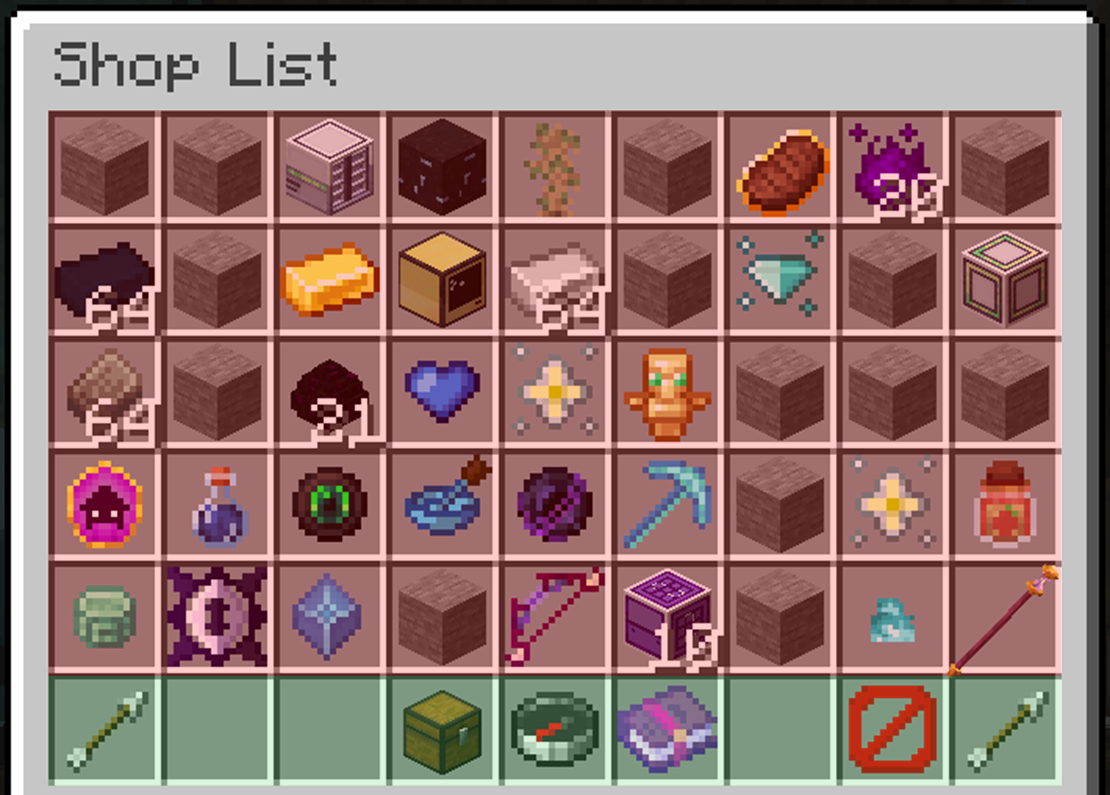
![Player shop GUI](https://siriusmc-bookstack.s3.amazonaws.com/uploads/images/gallery/2026-03/xfAGoF81nLITTQLJ-image.png)

**The red section is where other player shops are located.**

**<span style="color: #2dc26b;">The green section is where you can view your player shop, search the entire player shop database, and view metrics.</span>**

To create your player shop, open the GUI using the command **/ps**. The green section gives you the ability to:

![](https://siriusmc-bookstack.s3.amazonaws.com/uploads/images/gallery/2026-03/scaled-1680-/glmsjMUljFzwmxHF-image.png) View previous pages

![](https://siriusmc-bookstack.s3.amazonaws.com/uploads/images/gallery/2026-03/scaled-1680-/0MAMxptxyC09FFJv-image.png) Create / view your player shop

![](https://siriusmc-bookstack.s3.amazonaws.com/uploads/images/gallery/2026-03/scaled-1680-/0eXGkG3bCvdeTIG8-image.png) Search for an item

![](https://siriusmc-bookstack.s3.amazonaws.com/uploads/images/gallery/2026-03/scaled-1680-/5TNeMapaGsZZZe9D-image.png) View metrics

![](https://siriusmc-bookstack.s3.amazonaws.com/uploads/images/gallery/2026-03/scaled-1680-/ndPbnBiWzAFr3FBN-image.png) Exit the GUI

![](https://siriusmc-bookstack.s3.amazonaws.com/uploads/images/gallery/2026-03/scaled-1680-/glmsjMUljFzwmxHF-image.png) View the next page

Pressing the ![](https://siriusmc-bookstack.s3.amazonaws.com/uploads/images/gallery/2026-03/scaled-1680-/0MAMxptxyC09FFJv-image.png) chest icon will allow you to create your player shop. After creating it, pressing the chest icon will open your player shop. Alternatively, you can use **/ps &lt;Your Username&gt;** to open the GUI directly onto your player shop.

### Adding Items and Setting Prices

You can add items to your player shop by opening your player shop and left-clicking the item you want to sell. You will then be prompted to enter the amount you wish to sell **one** item for.

Some items have minimum prices. If you input a price lower than the minimum, it will default to the minimum set price. For example, if diamonds have a minimum price of $400 each and you try to sell them for $100, the listing will default to $400.

Your shop has a limit to how many items you can sell. By default, you start with 10 slots, each holding up to 256 of one item. More slots can be bought using the ![](https://siriusmc-bookstack.s3.amazonaws.com/uploads/images/gallery/2026-03/scaled-1680-/91uoOBoDquIoFaqb-image.png) icon, however the cost increases with each slot purchased.

### Searching the Shops

When looking for something specific, use the search function from the ![](https://siriusmc-bookstack.s3.amazonaws.com/uploads/images/gallery/2026-03/scaled-1680-/0eXGkG3bCvdeTIG8-image.png) compass icon. This will prompt you to type the item name into chat, or you can use **/ps search &lt;item name&gt;**. If you don't know the full item name, you can type part of it and the shop will show all items containing that word.

### Viewing Shop Metrics

Want to know what items are selling well? Click the ![](https://siriusmc-bookstack.s3.amazonaws.com/uploads/images/gallery/2026-03/scaled-1680-/5TNeMapaGsZZZe9D-image.png) enchanted book icon and a link will appear in chat. Clicking it will take you to SiriusMC's metrics page, where you can view everyone's shop on the server you're playing on, including your own!

## 2. Voting

Voting is also a great way to make money on a regular daily basis. There are 8 links you can vote on; each one rewards you with Crate Keys that can be used in-game, as well as diamonds, steak, and claim blocks and a cash amount based on your rank.

Crate Keys can be used at **/warp Crates** on any of our servers, giving you a chance to receive items, money, and claim blocks. Crates also come in different tiers: Basic, Simple, Common, Uncommon, Rare, and Legendary. The better the tier, the better the reward, but keys can also be saved up and exchanged for the next tier using the command **/crate swap**.

The monetary reward you earn from voting increases based on your rank, so the more you play the more each vote is worth.

<table border="1" id="bkmrk-rank-cash-reward-cla" style="border-collapse: collapse; width: 100%; border-style: hidden; hyphens: none;"><tbody><tr style="background-color: #a855a0;"><td style="padding: 6px 10px; overflow: visible; hyphens: none; vertical-align: middle;">**Rank**</td><td style="padding: 6px 10px; overflow: visible; hyphens: none; vertical-align: middle;">**Cash Reward**</td><td style="padding: 6px 10px; overflow: visible; hyphens: none; vertical-align: middle;">**Claim Blocks**</td></tr><tr><td style="padding: 6px 10px; overflow: visible; hyphens: none; vertical-align: middle;">Newbie</td><td style="padding: 6px 10px; overflow: visible; hyphens: none; vertical-align: middle;">$300</td><td style="padding: 6px 10px; overflow: visible; hyphens: none; vertical-align: middle;">200</td></tr><tr style="background-color: #a855a00a;"><td style="padding: 6px 10px; overflow: visible; hyphens: none; vertical-align: middle;">Amateur</td><td style="padding: 6px 10px; overflow: visible; hyphens: none; vertical-align: middle;">$500</td><td style="padding: 6px 10px; overflow: visible; hyphens: none; vertical-align: middle;">300</td></tr><tr><td style="padding: 6px 10px; overflow: visible; hyphens: none; vertical-align: middle;">Novice</td><td style="padding: 6px 10px; overflow: visible; hyphens: none; vertical-align: middle;">$700</td><td style="padding: 6px 10px; overflow: visible; hyphens: none; vertical-align: middle;">400</td></tr><tr style="background-color: #a855a00a;"><td style="padding: 6px 10px; overflow: visible; hyphens: none; vertical-align: middle;">Seasoned</td><td style="padding: 6px 10px; overflow: visible; hyphens: none; vertical-align: middle;">$900</td><td style="padding: 6px 10px; overflow: visible; hyphens: none; vertical-align: middle;">500</td></tr><tr><td style="padding: 6px 10px; overflow: visible; hyphens: none; vertical-align: middle;">Respected</td><td style="padding: 6px 10px; overflow: visible; hyphens: none; vertical-align: middle;">$1,100</td><td style="padding: 6px 10px; overflow: visible; hyphens: none; vertical-align: middle;">600</td></tr><tr style="background-color: #a855a00a;"><td style="padding: 6px 10px; overflow: visible; hyphens: none; vertical-align: middle;">Trusted</td><td style="padding: 6px 10px; overflow: visible; hyphens: none; vertical-align: middle;">$1,300</td><td style="padding: 6px 10px; overflow: visible; hyphens: none; vertical-align: middle;">700</td></tr><tr><td style="padding: 6px 10px; overflow: visible; hyphens: none; vertical-align: middle;">Expert</td><td style="padding: 6px 10px; overflow: visible; hyphens: none; vertical-align: middle;">$1,500</td><td style="padding: 6px 10px; overflow: visible; hyphens: none; vertical-align: middle;">800</td></tr><tr style="background-color: #a855a00a;"><td style="padding: 6px 10px; overflow: visible; hyphens: none; vertical-align: middle;">Esteemed</td><td style="padding: 6px 10px; overflow: visible; hyphens: none; vertical-align: middle;">$1,700</td><td style="padding: 6px 10px; overflow: visible; hyphens: none; vertical-align: middle;">900</td></tr><tr><td style="padding: 6px 10px; overflow: visible; hyphens: none; vertical-align: middle;">Veteran</td><td style="padding: 6px 10px; overflow: visible; hyphens: none; vertical-align: middle;">$2,000</td><td style="padding: 6px 10px; overflow: visible; hyphens: none; vertical-align: middle;">1,000</td></tr><tr style="background-color: #a855a00a;"><td style="padding: 6px 10px; overflow: visible; hyphens: none; vertical-align: middle;">Titan</td><td style="padding: 6px 10px; overflow: visible; hyphens: none; vertical-align: middle;">$2,100</td><td style="padding: 6px 10px; overflow: visible; hyphens: none; vertical-align: middle;">1,100</td></tr><tr style="background-color: #473355;"><td colspan="3" style="padding: 6px 10px; color: #ffffff; font-weight: bold; font-size: 0.85em; hyphens: none; overflow: visible; vertical-align: middle;">Donator Ranks</td></tr><tr><td style="padding: 6px 10px; overflow: visible; hyphens: none; vertical-align: middle;">Iron</td><td style="padding: 6px 10px; overflow: visible; hyphens: none; vertical-align: middle;">$2,200</td><td style="padding: 6px 10px; overflow: visible; hyphens: none; vertical-align: middle;">1,200</td></tr><tr style="background-color: #a855a00a;"><td style="padding: 6px 10px; overflow: visible; hyphens: none; vertical-align: middle;">Gold</td><td style="padding: 6px 10px; overflow: visible; hyphens: none; vertical-align: middle;">$2,300</td><td style="padding: 6px 10px; overflow: visible; hyphens: none; vertical-align: middle;">1,300</td></tr><tr><td style="padding: 6px 10px; overflow: visible; hyphens: none; vertical-align: middle;">Diamond</td><td style="padding: 6px 10px; overflow: visible; hyphens: none; vertical-align: middle;">$2,400</td><td style="padding: 6px 10px; overflow: visible; hyphens: none; vertical-align: middle;">1,400</td></tr><tr style="background-color: #a855a00a;"><td style="padding: 6px 10px; overflow: visible; hyphens: none; vertical-align: middle;">Emerald</td><td style="padding: 6px 10px; overflow: visible; hyphens: none; vertical-align: middle;">$2,500</td><td style="padding: 6px 10px; overflow: visible; hyphens: none; vertical-align: middle;">1,500</td></tr></tbody></table>

<table border="1" id="bkmrk-vote-link-1-minecraf" style="border-collapse: collapse; width: 100%; border-style: hidden; hyphens: none;"><tbody><tr><td style="padding: 14px 16px; overflow: visible; vertical-align: top; border: 1px solid #a855a026;">VOTE LINK 1

[Minecraft-MP](https://minecraft-mp.com/server/227490/vote/)

minecraft-mp.com

</td><td style="padding: 14px 16px; overflow: visible; vertical-align: top; border: 1px solid #a855a026;">VOTE LINK 2

[FTB Servers](https://ftbservers.com/server/5MJ0II2X/vote)

ftbservers.com

</td><td style="padding: 14px 16px; overflow: visible; vertical-align: top; border: 1px solid #a855a026;">VOTE LINK 3

[Tekkit Server List](https://tekkitserverlist.com/server/z7YQLXhx/vote)

tekkitserverlist.com

</td></tr><tr><td style="padding: 14px 16px; overflow: visible; vertical-align: top; border: 1px solid #a855a026;">VOTE LINK 4

[Minecraft Servers](https://minecraftservers.org/vote/557848)

minecraftservers.org

</td><td style="padding: 14px 16px; overflow: visible; vertical-align: top; border: 1px solid #a855a026;">VOTE LINK 5

[Minecraft Server List](https://minecraft-server-list.com/server/442743/vote/)

minecraft-server-list.com

</td><td style="padding: 14px 16px; overflow: visible; vertical-align: top; border: 1px solid #a855a026;">VOTE LINK 6

[Top Minecraft Servers](https://topminecraftservers.org/vote/29914/)

topminecraftservers.org

</td></tr><tr><td style="padding: 14px 16px; overflow: visible; vertical-align: top; border: 1px solid #a855a026;">VOTE LINK 7

[Modded Minecraft Servers](https://moddedminecraftservers.com/server/siriusmc-stoneblock-4-atm10-tekkit-more.60967/)

moddedminecraftservers.com

</td><td style="padding: 14px 16px; overflow: visible; vertical-align: top; border: 1px solid #a855a026;">VOTE LINK 8

[CurseForge Servers](https://www.curseforge.com/servers/minecraft/game/siriusmc-sb4-atm10/vote)

curseforge.com

</td></tr></tbody></table>

## 3. Bartering With Other Players

Like most servers, we encourage players to trade with one another. This is a great way to make fast sales from items, or even services, such as paying someone to decorate or build for you. This does not apply to real-world currency, and any real-life currency being used for in-game services may lead to sanctions.

However, some of our servers, such as Tekkit 2 and Tekkit SMP, enforce a rule that trades must be priced reasonably and follow the minimum prices set in **/price**. This means you cannot sell expensive items for $1, or give away items for free, unless in a team. To read the reason for this and our other server rules, see: [rules](https://wiki.siriusmc.net/books/the-siriusmc-networks/page/server-rules-siriusmc).

<table border="1" id="bkmrk-guide-automation-gui" style="border-collapse: collapse; width: 100%; border-style: hidden;"><tbody><tr><td style="padding: 14px 16px; overflow: visible; vertical-align: top; border: 1px solid rgba(168,85,160,0.15);">Guide

[How to Claim Land - GriefPrevention Guide](https://wiki.siriusmc.net/books/mod-pack-guides/page/how-to-claim-land-griefprevention-guide-siriusmc)

Learn how to use the GriefPrevention Guide to claim your land on SiriusMC

</td><td style="padding: 14px 16px; overflow: visible; vertical-align: top; border: 1px solid rgba(168,85,160,0.15);">Guide

[Playtime and Donator Ranks](https://wiki.siriusmc.net/books/the-siriusmc-networks/page/playtime-and-donator-ranks-siriusmc)

Learn about the playtime and donator ranks on SiriusMC

</td><td style="padding: 14px 16px; overflow: visible; vertical-align: top; border: 1px solid rgba(168,85,160,0.15);"></td></tr></tbody></table>

# Playtime and Donator Ranks | SiriusMC

<table border="0" id="bkmrk-siriusmc-has-two-ran" style="border-collapse: collapse !important; width: 100%; border-left: 4px solid #a855a0; border-top: none; border-right: none; border-bottom: none; background-color: rgba(168, 85, 160, 0.08);"><tbody><tr><td style="padding: 8px 16px; overflow: visible; hyphens: none;">SiriusMC has two rank systems that run alongside each other. **Playtime Ranks** are earned by playing on the server, and **Donor Ranks** are purchased from the store. Playtime ranks reward your time and dedication, while donor ranks provide additional perks and support the server.

</td></tr></tbody></table>

## Playtime Ranks

Playtime ranks are awarded automatically as you accumulate hours on the server. Each new rank unlocks additional homes, chunk loaders, and player warps. Your rank is displayed in chat next to your name.

### \[Newbie\]

<table border="1" id="bkmrk-perk-amount-playtime" style="border-collapse: collapse; width: 100%; border-style: hidden; hyphens: none;"><tbody><tr style="background-color: #a855a0;"><td style="padding: 6px 10px; overflow: visible; hyphens: none;">**Perk**</td><td style="padding: 6px 10px; overflow: visible; hyphens: none;">**Amount**</td></tr><tr><td style="padding: 6px 10px; overflow: visible; hyphens: none;">Playtime Required</td><td style="padding: 6px 10px; overflow: visible; hyphens: none;">0 Hours</td></tr><tr style="background-color: rgba(168, 85, 160, 0.04);"><td style="padding: 6px 10px; overflow: visible; hyphens: none;">Homes</td><td style="padding: 6px 10px; overflow: visible; hyphens: none;">1</td></tr><tr><td style="padding: 6px 10px; overflow: visible; hyphens: none;">Chunk Loaders</td><td style="padding: 6px 10px; overflow: visible; hyphens: none;">2</td></tr><tr style="background-color: rgba(168, 85, 160, 0.04);"><td style="padding: 6px 10px; overflow: visible; hyphens: none;">Player Warps</td><td style="padding: 6px 10px; overflow: visible; hyphens: none;">1</td></tr></tbody></table>

### \[Amateur\]

<table border="1" id="bkmrk-perk-amount-playtime-1" style="border-collapse: collapse; width: 100%; border-style: hidden; hyphens: none;"><tbody><tr style="background-color: #a855a0;"><td style="padding: 6px 10px; overflow: visible; hyphens: none;">**Perk**</td><td style="padding: 6px 10px; overflow: visible; hyphens: none;">**Amount**</td></tr><tr><td style="padding: 6px 10px; overflow: visible; hyphens: none;">Playtime Required</td><td style="padding: 6px 10px; overflow: visible; hyphens: none;">1 Hour</td></tr><tr style="background-color: rgba(168, 85, 160, 0.04);"><td style="padding: 6px 10px; overflow: visible; hyphens: none;">Homes</td><td style="padding: 6px 10px; overflow: visible; hyphens: none;">2</td></tr><tr><td style="padding: 6px 10px; overflow: visible; hyphens: none;">Chunk Loaders</td><td style="padding: 6px 10px; overflow: visible; hyphens: none;">4</td></tr><tr style="background-color: rgba(168, 85, 160, 0.04);"><td style="padding: 6px 10px; overflow: visible; hyphens: none;">Player Warps</td><td style="padding: 6px 10px; overflow: visible; hyphens: none;">2</td></tr></tbody></table>

### \[Novice\]

<table border="1" id="bkmrk-perk-amount-playtime-2" style="border-collapse: collapse; width: 100%; border-style: hidden; hyphens: none;"><tbody><tr style="background-color: #a855a0;"><td style="padding: 6px 10px; overflow: visible; hyphens: none;">**Perk**</td><td style="padding: 6px 10px; overflow: visible; hyphens: none;">**Amount**</td></tr><tr><td style="padding: 6px 10px; overflow: visible; hyphens: none;">Playtime Required</td><td style="padding: 6px 10px; overflow: visible; hyphens: none;">10 Hours</td></tr><tr style="background-color: rgba(168, 85, 160, 0.04);"><td style="padding: 6px 10px; overflow: visible; hyphens: none;">Homes</td><td style="padding: 6px 10px; overflow: visible; hyphens: none;">3</td></tr><tr><td style="padding: 6px 10px; overflow: visible; hyphens: none;">Chunk Loaders</td><td style="padding: 6px 10px; overflow: visible; hyphens: none;">6</td></tr><tr style="background-color: rgba(168, 85, 160, 0.04);"><td style="padding: 6px 10px; overflow: visible; hyphens: none;">Player Warps</td><td style="padding: 6px 10px; overflow: visible; hyphens: none;">3</td></tr></tbody></table>

### \[Seasoned\]

<table border="1" id="bkmrk-perk-amount-playtime-3" style="border-collapse: collapse; width: 100%; border-style: hidden; hyphens: none;"><tbody><tr style="background-color: #a855a0;"><td style="padding: 6px 10px; overflow: visible; hyphens: none;">**Perk**</td><td style="padding: 6px 10px; overflow: visible; hyphens: none;">**Amount**</td></tr><tr><td style="padding: 6px 10px; overflow: visible; hyphens: none;">Playtime Required</td><td style="padding: 6px 10px; overflow: visible; hyphens: none;">20 Hours</td></tr><tr style="background-color: rgba(168, 85, 160, 0.04);"><td style="padding: 6px 10px; overflow: visible; hyphens: none;">Homes</td><td style="padding: 6px 10px; overflow: visible; hyphens: none;">4</td></tr><tr><td style="padding: 6px 10px; overflow: visible; hyphens: none;">Chunk Loaders</td><td style="padding: 6px 10px; overflow: visible; hyphens: none;">8</td></tr><tr style="background-color: rgba(168, 85, 160, 0.04);"><td style="padding: 6px 10px; overflow: visible; hyphens: none;">Player Warps</td><td style="padding: 6px 10px; overflow: visible; hyphens: none;">4</td></tr></tbody></table>

### \[Respected\]

<table border="1" id="bkmrk-perk-amount-playtime-4" style="border-collapse: collapse; width: 100%; border-style: hidden; hyphens: none;"><tbody><tr style="background-color: #a855a0;"><td style="padding: 6px 10px; overflow: visible; hyphens: none;">**Perk**</td><td style="padding: 6px 10px; overflow: visible; hyphens: none;">**Amount**</td></tr><tr><td style="padding: 6px 10px; overflow: visible; hyphens: none;">Playtime Required</td><td style="padding: 6px 10px; overflow: visible; hyphens: none;">40 Hours</td></tr><tr style="background-color: rgba(168, 85, 160, 0.04);"><td style="padding: 6px 10px; overflow: visible; hyphens: none;">Homes</td><td style="padding: 6px 10px; overflow: visible; hyphens: none;">5</td></tr><tr><td style="padding: 6px 10px; overflow: visible; hyphens: none;">Chunk Loaders</td><td style="padding: 6px 10px; overflow: visible; hyphens: none;">10</td></tr><tr style="background-color: rgba(168, 85, 160, 0.04);"><td style="padding: 6px 10px; overflow: visible; hyphens: none;">Player Warps</td><td style="padding: 6px 10px; overflow: visible; hyphens: none;">5</td></tr></tbody></table>

### \[Trusted\]

<table border="1" id="bkmrk-perk-amount-playtime-5" style="border-collapse: collapse; width: 100%; border-style: hidden; hyphens: none;"><tbody><tr style="background-color: #a855a0;"><td style="padding: 6px 10px; overflow: visible; hyphens: none;">**Perk**</td><td style="padding: 6px 10px; overflow: visible; hyphens: none;">**Amount**</td></tr><tr><td style="padding: 6px 10px; overflow: visible; hyphens: none;">Playtime Required</td><td style="padding: 6px 10px; overflow: visible; hyphens: none;">60 Hours</td></tr><tr style="background-color: rgba(168, 85, 160, 0.04);"><td style="padding: 6px 10px; overflow: visible; hyphens: none;">Homes</td><td style="padding: 6px 10px; overflow: visible; hyphens: none;">6</td></tr><tr><td style="padding: 6px 10px; overflow: visible; hyphens: none;">Chunk Loaders</td><td style="padding: 6px 10px; overflow: visible; hyphens: none;">12</td></tr><tr style="background-color: rgba(168, 85, 160, 0.04);"><td style="padding: 6px 10px; overflow: visible; hyphens: none;">Player Warps</td><td style="padding: 6px 10px; overflow: visible; hyphens: none;">6</td></tr></tbody></table>

### \[Expert\]

<table border="1" id="bkmrk-perk-amount-playtime-6" style="border-collapse: collapse; width: 100%; border-style: hidden; hyphens: none;"><tbody><tr style="background-color: #a855a0;"><td style="padding: 6px 10px; overflow: visible; hyphens: none;">**Perk**</td><td style="padding: 6px 10px; overflow: visible; hyphens: none;">**Amount**</td></tr><tr><td style="padding: 6px 10px; overflow: visible; hyphens: none;">Playtime Required</td><td style="padding: 6px 10px; overflow: visible; hyphens: none;">80 Hours</td></tr><tr style="background-color: rgba(168, 85, 160, 0.04);"><td style="padding: 6px 10px; overflow: visible; hyphens: none;">Homes</td><td style="padding: 6px 10px; overflow: visible; hyphens: none;">7</td></tr><tr><td style="padding: 6px 10px; overflow: visible; hyphens: none;">Chunk Loaders</td><td style="padding: 6px 10px; overflow: visible; hyphens: none;">14</td></tr><tr style="background-color: rgba(168, 85, 160, 0.04);"><td style="padding: 6px 10px; overflow: visible; hyphens: none;">Player Warps</td><td style="padding: 6px 10px; overflow: visible; hyphens: none;">7</td></tr></tbody></table>

### <span style="color: #ffaa00;">\[</span><span style="color: #55ffff;">Esteemed</span><span style="color: #ffaa00;">\]</span>

<table border="1" id="bkmrk-perk-amount-playtime-7" style="border-collapse: collapse; width: 100%; border-style: hidden; hyphens: none;"><tbody><tr style="background-color: #a855a0;"><td style="padding: 6px 10px; overflow: visible; hyphens: none;">**Perk**</td><td style="padding: 6px 10px; overflow: visible; hyphens: none;">**Amount**</td></tr><tr><td style="padding: 6px 10px; overflow: visible; hyphens: none;">Playtime Required</td><td style="padding: 6px 10px; overflow: visible; hyphens: none;">100 Hours</td></tr><tr style="background-color: rgba(168, 85, 160, 0.04);"><td style="padding: 6px 10px; overflow: visible; hyphens: none;">Homes</td><td style="padding: 6px 10px; overflow: visible; hyphens: none;">10</td></tr><tr><td style="padding: 6px 10px; overflow: visible; hyphens: none;">Chunk Loaders</td><td style="padding: 6px 10px; overflow: visible; hyphens: none;">16</td></tr><tr style="background-color: rgba(168, 85, 160, 0.04);"><td style="padding: 6px 10px; overflow: visible; hyphens: none;">Player Warps</td><td style="padding: 6px 10px; overflow: visible; hyphens: none;">8</td></tr></tbody></table>

### <span style="color: #ffaa00;">\[</span><span style="color: #55ffff;">Veteran</span><span style="color: #ffaa00;">\]</span>

<table border="1" id="bkmrk-perk-amount-playtime-8" style="border-collapse: collapse; width: 100%; border-style: hidden; hyphens: none;"><tbody><tr style="background-color: #a855a0;"><td style="padding: 6px 10px; overflow: visible; hyphens: none;">**Perk**</td><td style="padding: 6px 10px; overflow: visible; hyphens: none;">**Amount**</td></tr><tr><td style="padding: 6px 10px; overflow: visible; hyphens: none;">Playtime Required</td><td style="padding: 6px 10px; overflow: visible; hyphens: none;">160 Hours</td></tr><tr style="background-color: rgba(168, 85, 160, 0.04);"><td style="padding: 6px 10px; overflow: visible; hyphens: none;">Homes</td><td style="padding: 6px 10px; overflow: visible; hyphens: none;">11</td></tr><tr><td style="padding: 6px 10px; overflow: visible; hyphens: none;">Chunk Loaders</td><td style="padding: 6px 10px; overflow: visible; hyphens: none;">18</td></tr><tr style="background-color: rgba(168, 85, 160, 0.04);"><td style="padding: 6px 10px; overflow: visible; hyphens: none;">Player Warps</td><td style="padding: 6px 10px; overflow: visible; hyphens: none;">9</td></tr></tbody></table>

### <span style="color: #ff5555;">\[</span><span style="color: #55ffff;">Titan</span><span style="color: #ff5555;">\]</span>

<table border="1" id="bkmrk-perk-amount-playtime-9" style="border-collapse: collapse; width: 100%; border-style: hidden; hyphens: none;"><tbody><tr style="background-color: #a855a0;"><td style="padding: 6px 10px; overflow: visible; hyphens: none;">**Perk**</td><td style="padding: 6px 10px; overflow: visible; hyphens: none;">**Amount**</td></tr><tr><td style="padding: 6px 10px; overflow: visible; hyphens: none;">Playtime Required</td><td style="padding: 6px 10px; overflow: visible; hyphens: none;">320 Hours</td></tr><tr style="background-color: rgba(168, 85, 160, 0.04);"><td style="padding: 6px 10px; overflow: visible; hyphens: none;">Homes</td><td style="padding: 6px 10px; overflow: visible; hyphens: none;">12</td></tr><tr><td style="padding: 6px 10px; overflow: visible; hyphens: none;">Chunk Loaders</td><td style="padding: 6px 10px; overflow: visible; hyphens: none;">20</td></tr><tr style="background-color: rgba(168, 85, 160, 0.04);"><td style="padding: 6px 10px; overflow: visible; hyphens: none;">Player Warps</td><td style="padding: 6px 10px; overflow: visible; hyphens: none;">10</td></tr></tbody></table>

<table border="0" id="bkmrk-%E2%93%98-use-%2Fplaytime-or-%2F" style="border-collapse: collapse !important; width: 100%; border-left: 4px solid #a855a0; border-top: none; border-right: none; border-bottom: none; background-color: rgba(168, 85, 160, 0.08);"><tbody><tr><td style="padding: 8px 16px; overflow: visible; hyphens: none;">ⓘ Use **/playtime** or **/siriusranks** in-game to check your current playtime and progress toward the next rank.

ⓘ Every hour you play on the server you gain an additional 500 claim blocks.

</td></tr></tbody></table>

## Donor Ranks

Donor ranks are purchased from the [SiriusMC Store](https://store.siriusmc.net) and provide a permanent set of enhanced perks on top of your existing playtime rank. Purchasing a donor rank also directly supports the server and helps keep it running.

### \[Iron\]

<table border="1" id="bkmrk-perk-amount-homes-50" style="border-collapse: collapse; width: 100%; border-style: hidden; hyphens: none;"><tbody><tr style="background-color: #a855a0;"><td style="padding: 6px 10px; overflow: visible; hyphens: none;">**Perk**</td><td style="padding: 6px 10px; overflow: visible; hyphens: none;">**Amount**</td></tr><tr><td style="padding: 6px 10px; overflow: visible; hyphens: none;">Homes</td><td style="padding: 6px 10px; overflow: visible; hyphens: none;">50</td></tr><tr style="background-color: rgba(168, 85, 160, 0.04);"><td style="padding: 6px 10px; overflow: visible; hyphens: none;">Chunk Loaders</td><td style="padding: 6px 10px; overflow: visible; hyphens: none;">30</td></tr><tr><td style="padding: 6px 10px; overflow: visible; hyphens: none;">Player Warps</td><td style="padding: 6px 10px; overflow: visible; hyphens: none;">11</td></tr><tr style="background-color: rgba(168, 85, 160, 0.04);"><td style="padding: 6px 10px; overflow: visible; hyphens: none;">Starting Money</td><td style="padding: 6px 10px; overflow: visible; hyphens: none;">$25,000</td></tr><tr><td style="padding: 6px 10px; overflow: visible; hyphens: none;">Claim Blocks</td><td style="padding: 6px 10px; overflow: visible; hyphens: none;">1,500</td></tr><tr style="background-color: rgba(168, 85, 160, 0.04);"><td style="padding: 6px 10px; overflow: visible; hyphens: none;">Extra Commands</td><td style="padding: 6px 10px; overflow: visible; hyphens: none;">/PTime</td></tr></tbody></table>

### \[Gold\]

<table border="1" id="bkmrk-perk-amount-homes-10" style="border-collapse: collapse; width: 100%; border-style: hidden; hyphens: none;"><tbody><tr style="background-color: #a855a0;"><td style="padding: 6px 10px; overflow: visible; hyphens: none;">**Perk**</td><td style="padding: 6px 10px; overflow: visible; hyphens: none;">**Amount**</td></tr><tr><td style="padding: 6px 10px; overflow: visible; hyphens: none;">Homes</td><td style="padding: 6px 10px; overflow: visible; hyphens: none;">100</td></tr><tr style="background-color: rgba(168, 85, 160, 0.04);"><td style="padding: 6px 10px; overflow: visible; hyphens: none;">Chunk Loaders</td><td style="padding: 6px 10px; overflow: visible; hyphens: none;">35</td></tr><tr><td style="padding: 6px 10px; overflow: visible; hyphens: none;">Player Warps</td><td style="padding: 6px 10px; overflow: visible; hyphens: none;">12</td></tr><tr style="background-color: rgba(168, 85, 160, 0.04);"><td style="padding: 6px 10px; overflow: visible; hyphens: none;">Starting Money</td><td style="padding: 6px 10px; overflow: visible; hyphens: none;">$50,000</td></tr><tr><td style="padding: 6px 10px; overflow: visible; hyphens: none;">Claim Blocks</td><td style="padding: 6px 10px; overflow: visible; hyphens: none;">3,000</td></tr><tr style="background-color: rgba(168, 85, 160, 0.04);"><td style="padding: 6px 10px; overflow: visible; hyphens: none;">Extra Commands</td><td style="padding: 6px 10px; overflow: visible; hyphens: none;">/PTime, /Workbench, /Repair\*</td></tr></tbody></table>

### \[Diamond\]

<table border="1" id="bkmrk-perk-amount-homes-1%2C" style="border-collapse: collapse; width: 100%; border-style: hidden; hyphens: none;"><tbody><tr style="background-color: #a855a0;"><td style="padding: 6px 10px; overflow: visible; hyphens: none;">**Perk**</td><td style="padding: 6px 10px; overflow: visible; hyphens: none;">**Amount**</td></tr><tr><td style="padding: 6px 10px; overflow: visible; hyphens: none;">Homes</td><td style="padding: 6px 10px; overflow: visible; hyphens: none;">1,000</td></tr><tr style="background-color: rgba(168, 85, 160, 0.04);"><td style="padding: 6px 10px; overflow: visible; hyphens: none;">Chunk Loaders</td><td style="padding: 6px 10px; overflow: visible; hyphens: none;">40</td></tr><tr><td style="padding: 6px 10px; overflow: visible; hyphens: none;">Player Warps</td><td style="padding: 6px 10px; overflow: visible; hyphens: none;">13</td></tr><tr style="background-color: rgba(168, 85, 160, 0.04);"><td style="padding: 6px 10px; overflow: visible; hyphens: none;">Starting Money</td><td style="padding: 6px 10px; overflow: visible; hyphens: none;">$125,000</td></tr><tr><td style="padding: 6px 10px; overflow: visible; hyphens: none;">Claim Blocks</td><td style="padding: 6px 10px; overflow: visible; hyphens: none;">6,000</td></tr><tr style="background-color: rgba(168, 85, 160, 0.04);"><td style="padding: 6px 10px; overflow: visible; hyphens: none;">Extra Commands</td><td style="padding: 6px 10px; overflow: visible; hyphens: none;">/PTime, /Workbench, /Repair\*, /Nick (Nickname)</td></tr></tbody></table>

### \[Emerald\]

<table border="1" id="bkmrk-perk-amount-homes-un" style="border-collapse: collapse; width: 100%; border-style: hidden; hyphens: none;"><tbody><tr style="background-color: #a855a0;"><td style="padding: 6px 10px; overflow: visible; hyphens: none;">**Perk**</td><td style="padding: 6px 10px; overflow: visible; hyphens: none;">**Amount**</td></tr><tr><td style="padding: 6px 10px; overflow: visible; hyphens: none;">Homes</td><td style="padding: 6px 10px; overflow: visible; hyphens: none;">Unlimited</td></tr><tr style="background-color: rgba(168, 85, 160, 0.04);"><td style="padding: 6px 10px; overflow: visible; hyphens: none;">Chunk Loaders</td><td style="padding: 6px 10px; overflow: visible; hyphens: none;">45</td></tr><tr><td style="padding: 6px 10px; overflow: visible; hyphens: none;">Player Warps</td><td style="padding: 6px 10px; overflow: visible; hyphens: none;">14</td></tr><tr style="background-color: rgba(168, 85, 160, 0.04);"><td style="padding: 6px 10px; overflow: visible; hyphens: none;">Starting Money</td><td style="padding: 6px 10px; overflow: visible; hyphens: none;">$250,000</td></tr><tr><td style="padding: 6px 10px; overflow: visible; hyphens: none;">Claim Blocks</td><td style="padding: 6px 10px; overflow: visible; hyphens: none;">12,000</td></tr><tr style="background-color: rgba(168, 85, 160, 0.04);"><td style="padding: 6px 10px; overflow: visible; hyphens: none;">Extra Commands</td><td style="padding: 6px 10px; overflow: visible; hyphens: none;">/PTime, /Workbench, /Repair\*, /Nick (Nickname)</td></tr></tbody></table>

### \[Custom\]

<table border="1" id="bkmrk-perk-amount-homes-un-1" style="border-collapse: collapse; width: 100%; border-style: hidden; hyphens: none;"><tbody><tr style="background-color: #a855a0;"><td style="padding: 6px 10px; overflow: visible; hyphens: none;">**Perk**</td><td style="padding: 6px 10px; overflow: visible; hyphens: none;">**Amount**</td></tr><tr><td style="padding: 6px 10px; overflow: visible; hyphens: none;">Homes</td><td style="padding: 6px 10px; overflow: visible; hyphens: none;">Unlimited</td></tr><tr style="background-color: rgba(168, 85, 160, 0.04);"><td style="padding: 6px 10px; overflow: visible; hyphens: none;">Chunk Loaders</td><td style="padding: 6px 10px; overflow: visible; hyphens: none;">50</td></tr><tr><td style="padding: 6px 10px; overflow: visible; hyphens: none;">Player Warps</td><td style="padding: 6px 10px; overflow: visible; hyphens: none;">15</td></tr><tr style="background-color: rgba(168, 85, 160, 0.04);"><td style="padding: 6px 10px; overflow: visible; hyphens: none;">Starting Money</td><td style="padding: 6px 10px; overflow: visible; hyphens: none;">$375,000</td></tr><tr><td style="padding: 6px 10px; overflow: visible; hyphens: none;">Claim Blocks</td><td style="padding: 6px 10px; overflow: visible; hyphens: none;">24,000</td></tr><tr style="background-color: rgba(168, 85, 160, 0.04);"><td style="padding: 6px 10px; overflow: visible; hyphens: none;">Extra Commands</td><td style="padding: 6px 10px; overflow: visible; hyphens: none;">/PTime, /Workbench, /Repair\*, /Nick (Nickname), /Custom</td></tr></tbody></table>

\*The /Repair command works with vanilla items only.

<table border="0" id="bkmrk-%E2%93%98-the-custom-rank-al" style="border-collapse: collapse !important; width: 100%; border-left: 4px solid #a855a0; border-top: none; border-right: none; border-bottom: none; background-color: rgba(168, 85, 160, 0.08);"><tbody><tr><td style="padding: 8px 16px; overflow: visible; hyphens: none;">ⓘ The **Custom** rank allows you to customise your rank prefix and colours, as well as have a custom join and leave message!

ⓘ Donor ranks can be purchased from the [SiriusMC Store](https://store.siriusmc.net).

</td></tr></tbody></table>

<p class="callout info">To add your new custom prefix and/or nickname to your join/leave message, you need to enter your full username; it will be formatted automatically to the prefix and nickname you had at the time.</p>

<table border="1" id="bkmrk-guide-automation-gui" style="border-collapse: collapse; width: 100%; border-style: hidden;"><tbody><tr><td style="padding: 14px 16px; overflow: visible; vertical-align: top; border: 1px solid rgba(168,85,160,0.15);">Guide

[How to Claim Land - GriefPrevention Guide](https://wiki.siriusmc.net/books/mod-pack-guides/page/how-to-claim-land-griefprevention-guide-siriusmc)

Learn how to use the GriefPrevention Guide to claim your land on SiriusMC

</td><td style="padding: 14px 16px; overflow: visible; vertical-align: top; border: 1px solid rgba(168,85,160,0.15);">Guide

[Economy and Earning In-Game Currency](https://wiki.siriusmc.net/books/mod-pack-guides/page/economy-and-earning-in-game-currency-siriusmc)

Learn how the economy works and how to obtain in-game currency on SiriusMC

</td><td style="padding: 14px 16px; overflow: visible; vertical-align: top; border: 1px solid rgba(168,85,160,0.15);"></td></tr></tbody></table>