|
When you first join one of SiriusMC's servers you won't automatically have a player shop, but you can create one free of charge. Below guides you through creating a shop, setting prices, searching other players' shops, and viewing your metrics.
Creating a Player Shop
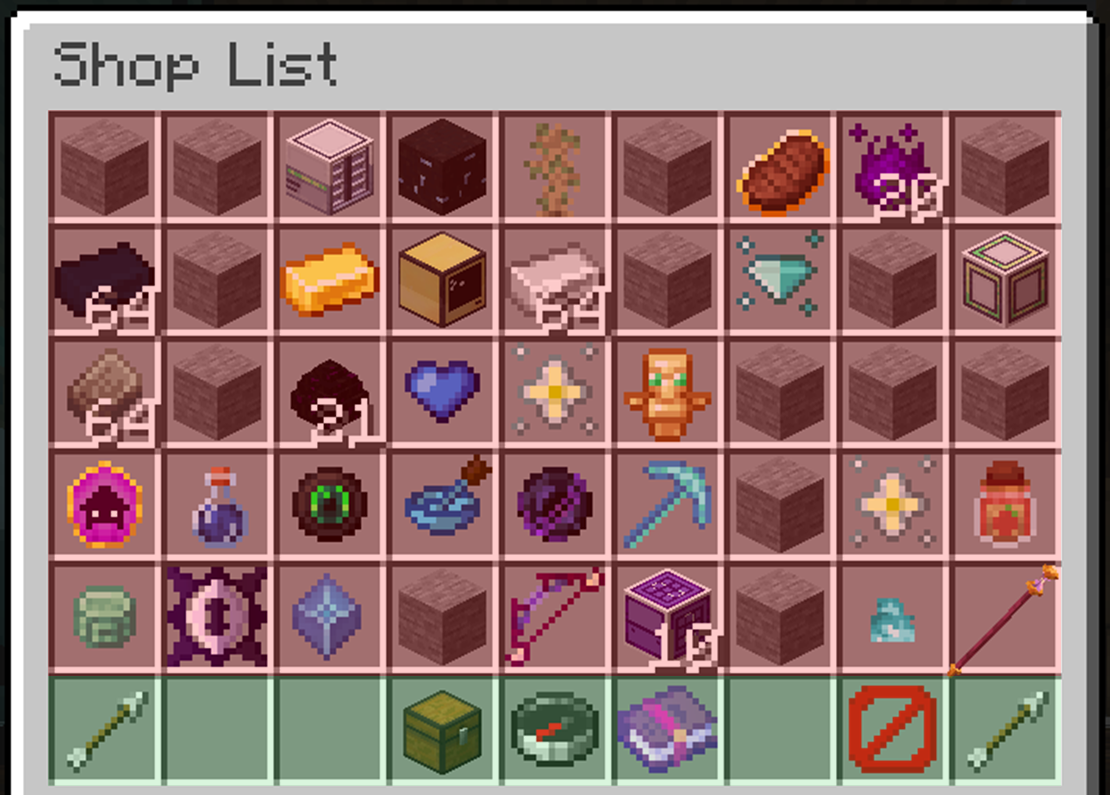
To create your player shop, open the GUI using the command /ps. Once open you will see two main sections, highlighted in this demonstration as RED and GREEN.
The green section gives you the ability to:
 View previous pages View previous pages
 Create / view your player shop Create / view your player shop
 Search for an item Search for an item
 View metrics View metrics
 Exit the GUI Exit the GUI
View the next page
Pressing the chest icon will allow you to create your player shop. After creating it, pressing the chest icon will open your player shop. Alternatively, you can use /ps <Your Username> to open the GUI directly onto your player shop.
Adding Items and Setting Prices
You can add items to your player shop by opening your player shop and left-clicking the item you want to sell. You will then be prompted to enter the amount you wish to sell one item for.
Some items have minimum prices — if you input a price lower than the minimum, it will default to the minimum set price. For example, if diamonds have a minimum price of $400 each, and you try to sell them for $100, the listing will default to $400.
Your shop has a limit to how many items you can sell. By default, you start with 10 slots, each holding up to 256 of one item. More slots can be bought using the  icon, however the cost increases with each slot purchased. icon, however the cost increases with each slot purchased.
Searching The Shops
When looking for something specific, use the search function from the compass icon. This will prompt you to type the item name into chat, or you can use /ps search <item name>. If you don't know the full item name, you can type part of it and the shop will show all items containing that word.
Viewing Shop Metrics
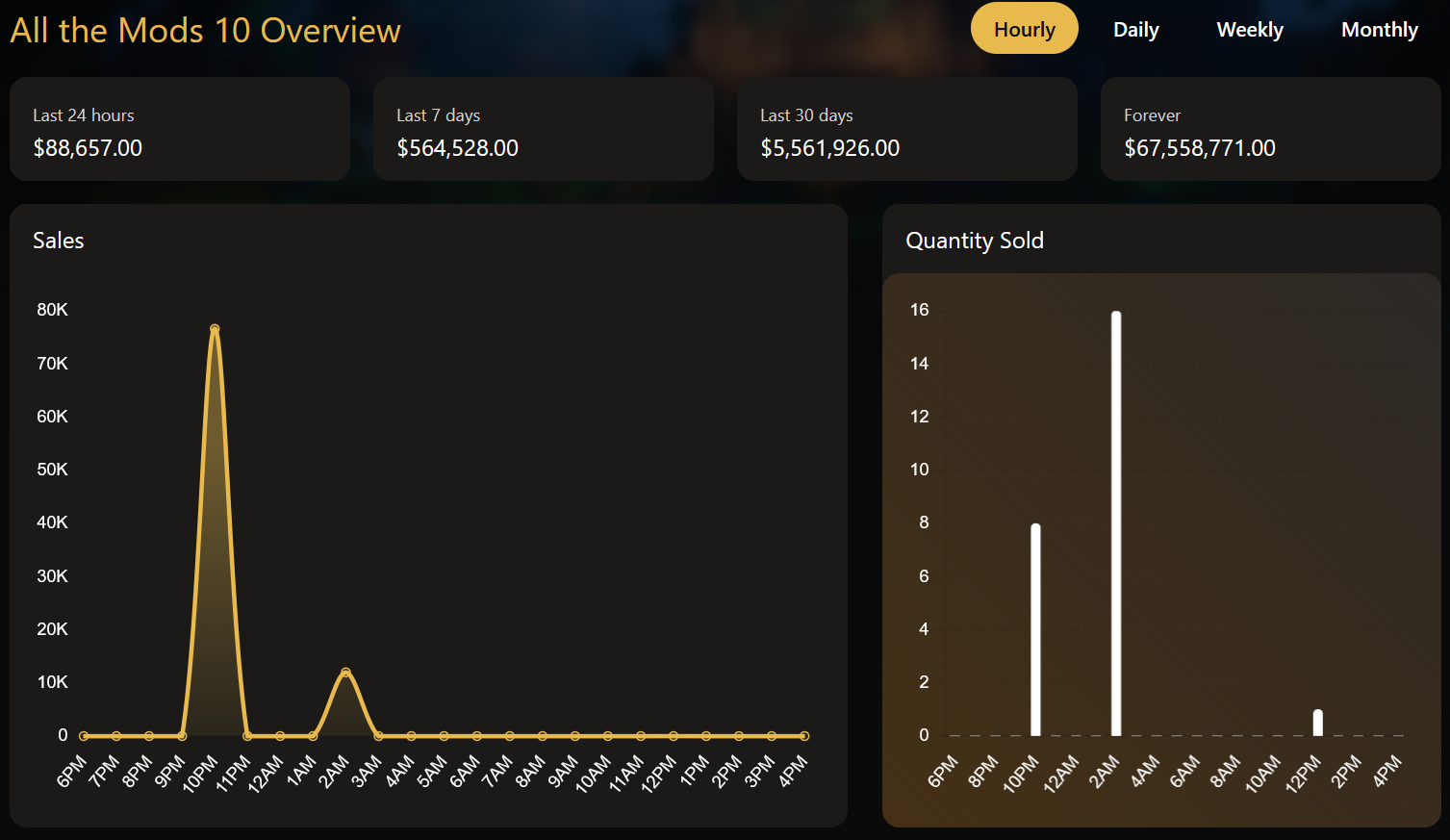
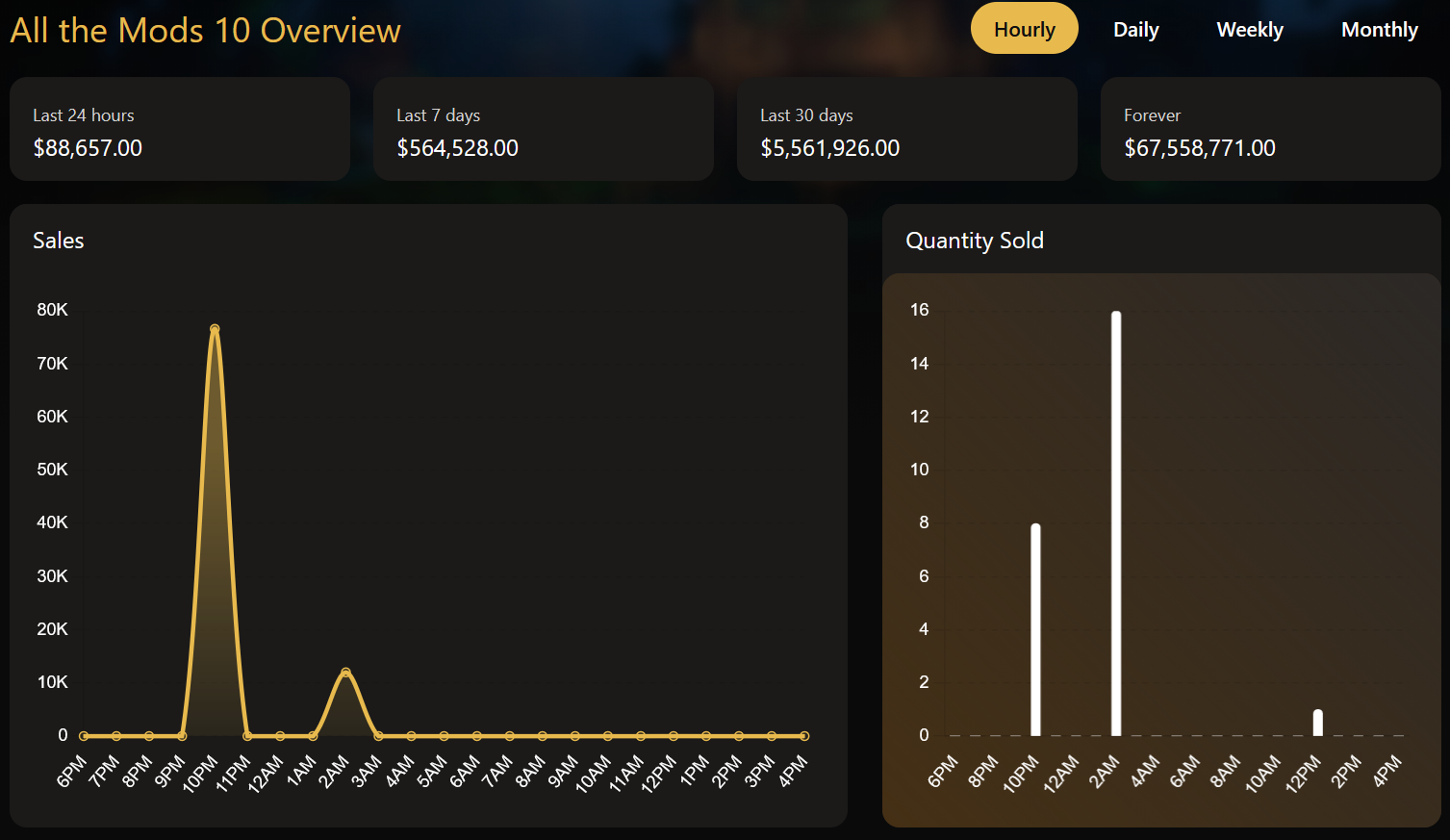
Want to know what items are selling well? Click the enchanted book icon and a link will appear in chat. Clicking it will take you to SiriusMC's metrics page, where you can view everyone's shop on the server you're playing on, including your own!
|
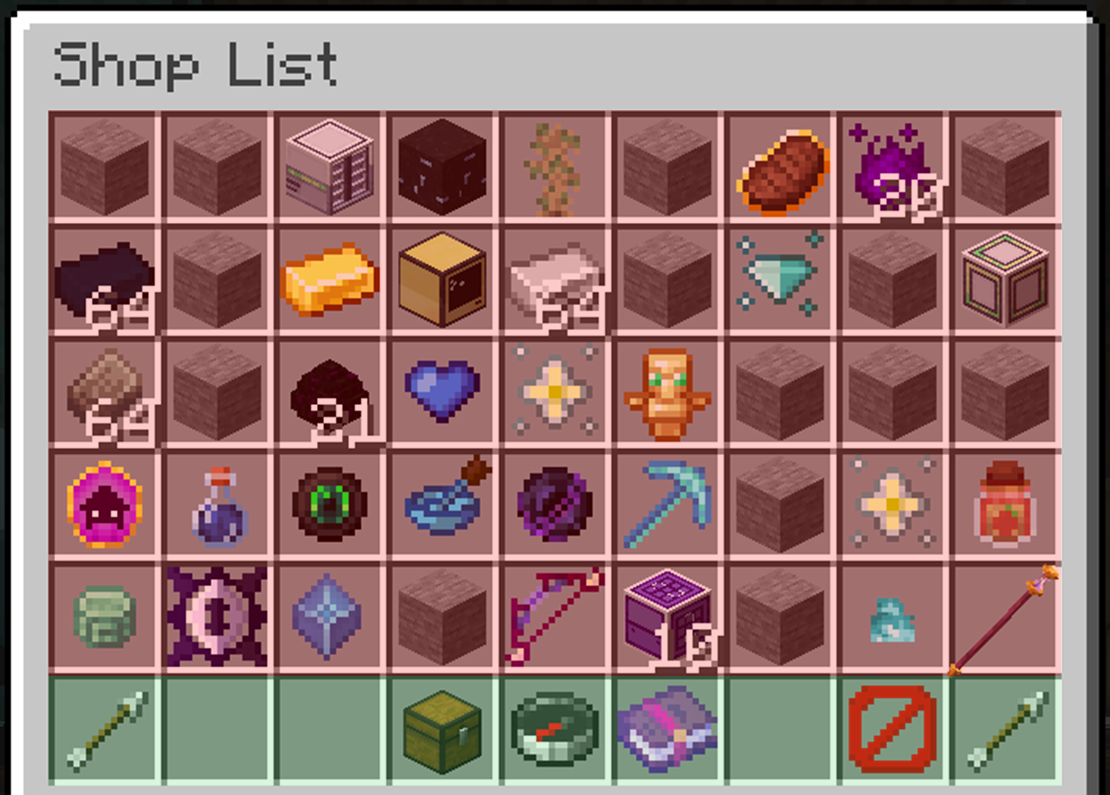
This is where other player shops are located.
This is where you can view your player shop, search the entire player shop database, and view metrics.
|